A Smarter Product & Sales Center
An internal content experience designed to help teams find and assemble the right sales and product materials faster
Platforms
Mastercard PSC
Deliverables
Research, Prototypes, UX Strategy
Expertise
Research, iA, UI / UX Design
Year
2023

Project Overview

Designing a Smarter Way to Find Sales Content
Mastercard’s Product & Sales Center was an important internal hub for presentations, product information, case studies, and customer-facing materials, but the experience often made it harder than it should have been for employees to find what they needed. Research showed that while people saw PSC as a trusted source of content, they struggled with unclear navigation, inconsistent organization, and a search experience that often depended on knowing the exact title, location, or terminology of an asset ahead of time. The opportunity was to rethink PSC as a more useful everyday workspace by making it easier to browse, search, save, revisit, and reuse content, while also exploring an AI-assisted deck-building experience that could help employees pull together client-ready presentations from existing approved materials.
Research Approach

Understanding How Employees Actually Find Content
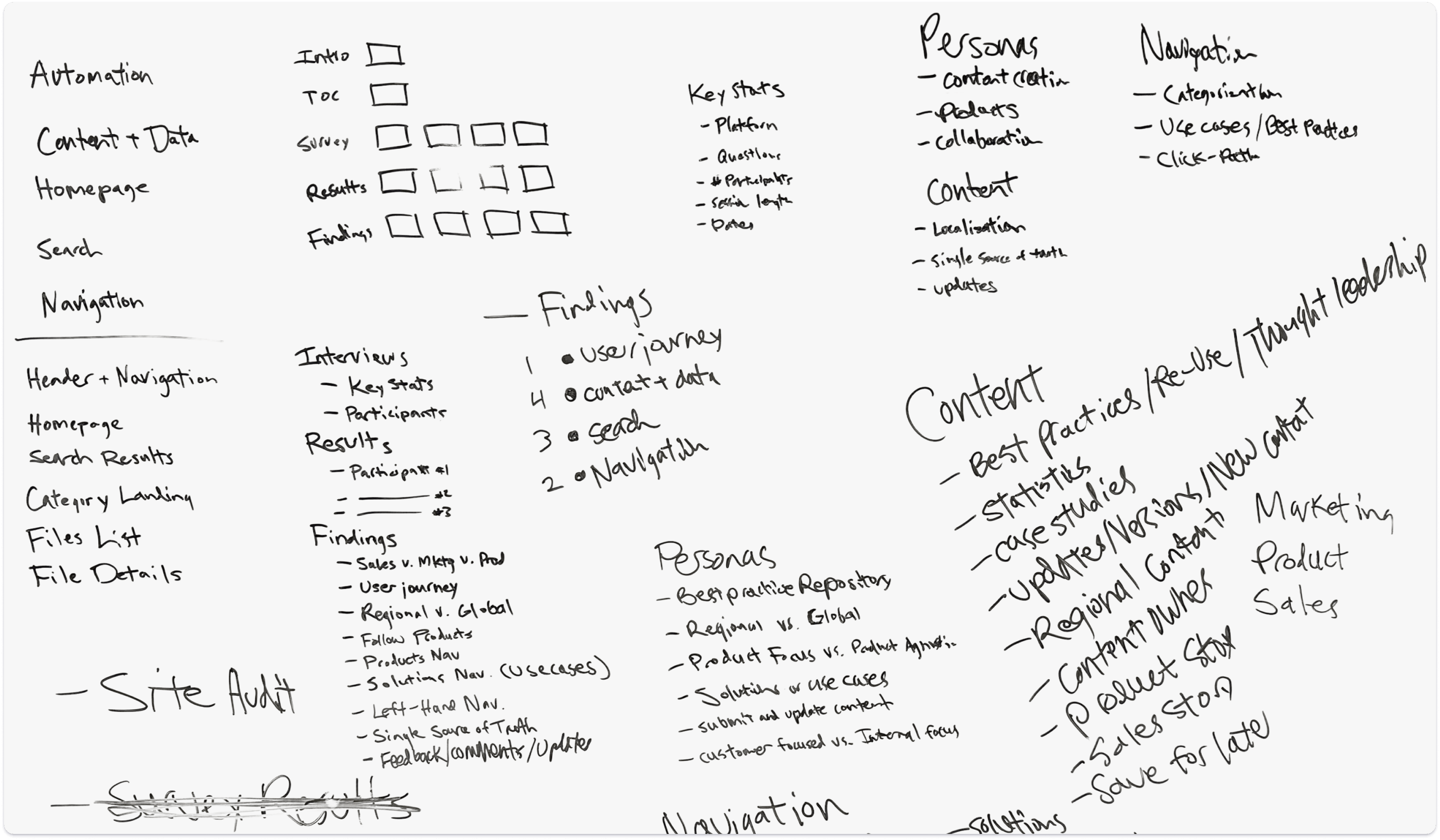
The design direction was informed through a mix of user interviews and survey feedback, which helped reveal how employees were actually using PSC in their day-to-day work, what kinds of materials they needed, and where they were running into friction across navigation, search, content submission, and repeat use. The research also showed just how many different ways people relied on the platform, from finding localized or translated materials to pulling product overviews, case studies, individual slides, and reusable decks for specific customer conversations. Altogether, the findings made it clear that PSC needed to better support both browsing and targeted retrieval while giving users more confidence that the content they found was current, relevant, and ready to use.


Key Research Themes
Navigation Felt Unclear
Users struggled with labels, taxonomy, and internal terminology, making browsing feel less intuitive than it should have been.
Search Didn’t Match User Thinking
Search results often failed to reflect how users thought about products, use cases, and customer conversations.
Finding Assets Took Too Long
People often came in needing a product overview, a case study, or even a single slide, but it took too many clicks to get there.
Freshness Built Trust
Users wanted better signals that materials were current so they could feel more confident using them externally.
Users Wanted Better Save-and-Return Tools
There was clear demand for capabilities like favorites, previews, and recently viewed content to support repeat use.
Deck Building Was Too Manual
Employees often had to stitch together decks manually from multiple assets, creating a strong case for smarter assembly workflows.
Design Strategy

From Content Repository to Content Workspace
The concept direction focused on making content discovery feel more intuitive by reducing reliance on internal language, creating clearer entry points into the platform, and giving users more than one way to find what they needed through navigation, search, recommendations, and personalized shortcuts. It also aimed to make content easier to act on once it was found by improving how users could save, organize, preview, revisit, and reuse assets, while exploring AI-assisted workflows that could help generate a draft presentation from certified PSC materials based on the context of a meeting.
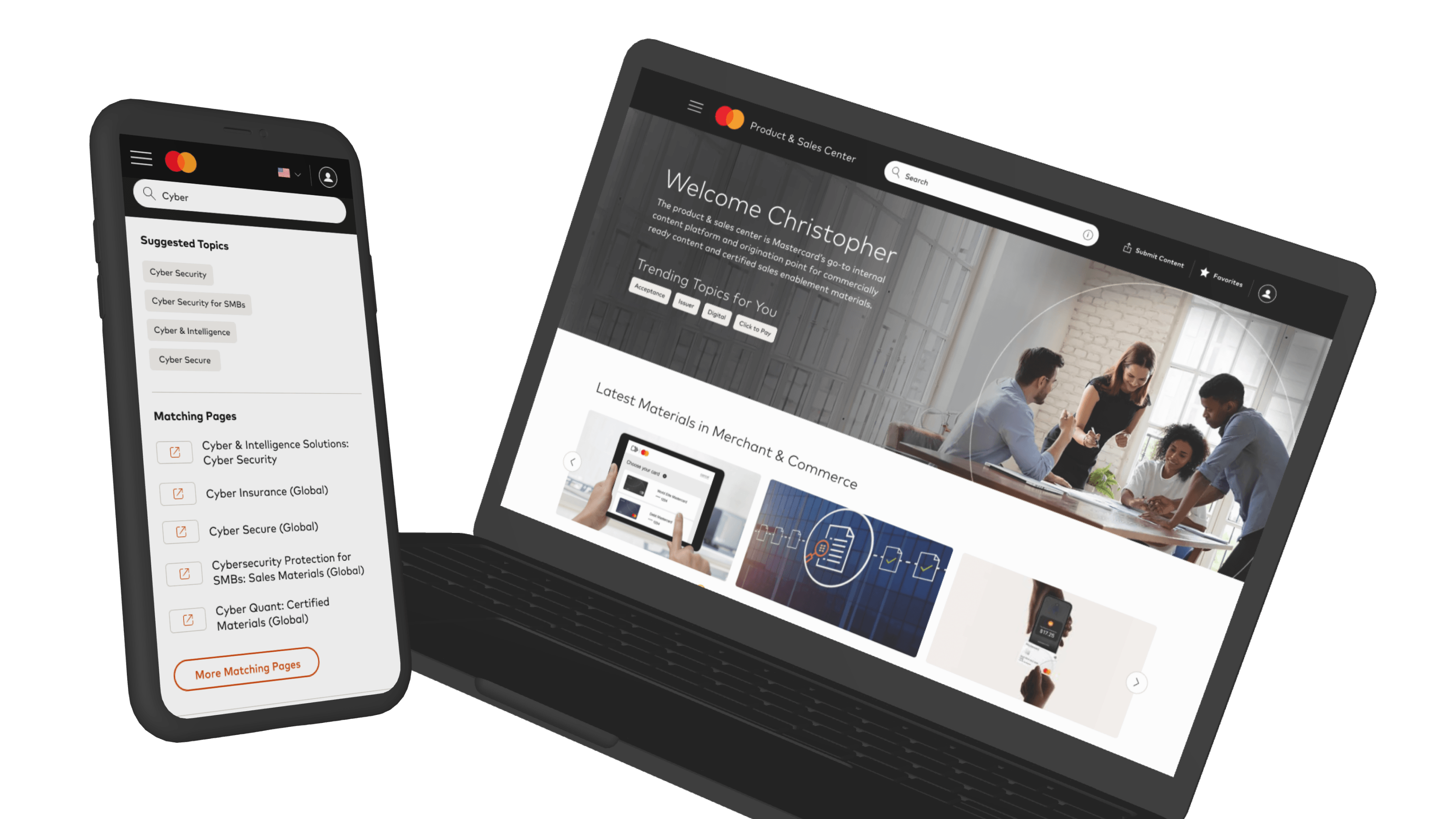
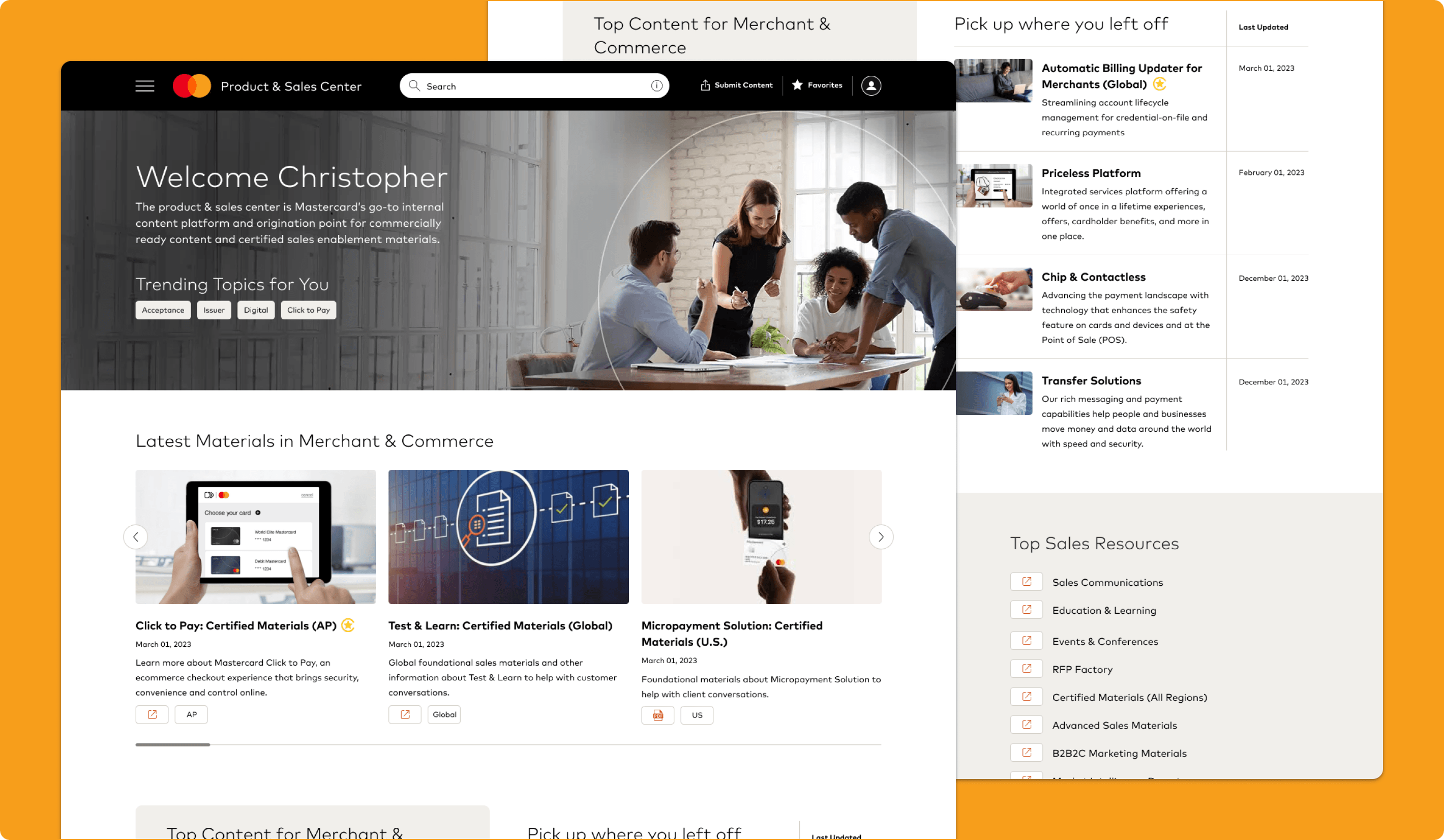
Homepage
Making Valuable Content Easier to Reach
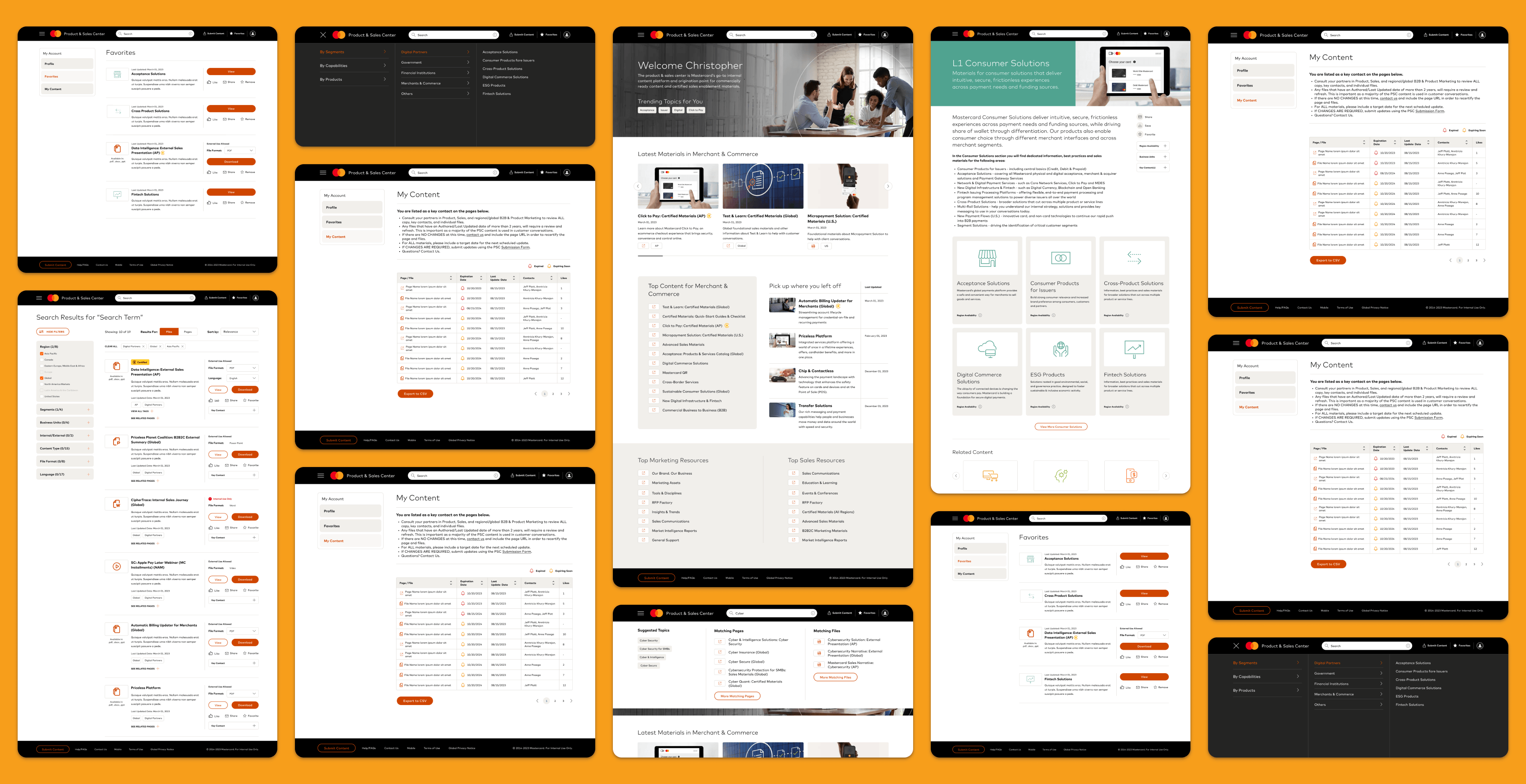
The homepage was redesigned to feel less like a passive landing page and more like an active dashboard for content discovery. It surfaced trending topics, top content, and clearer entry points into high-value resources, while also giving users a way to pick up where they left off instead of starting over each time they returned to the PSC.
Why it mattered:
- Helped users get oriented faster
- Reduced the need to immediately search
- Surfaced relevant content earlier in the experience
- Made the homepage more valuable as a recurring workspace
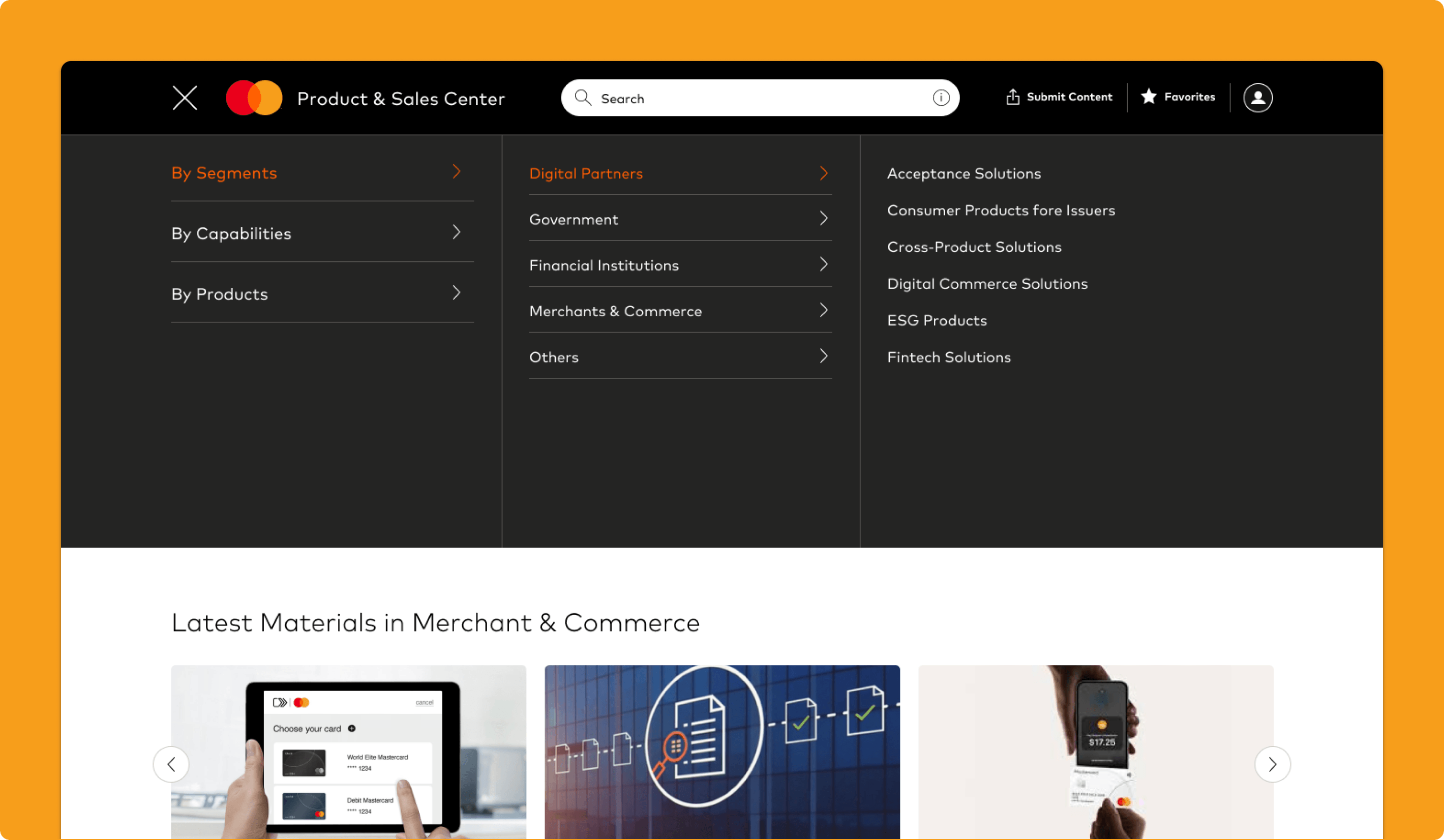
Navigation
Making Content Easier to Browse
The navigation was designed to make content categories feel more intuitive, more scannable, and better aligned to how users actually thought about the platform. Instead of reflecting internal organizational logic, the structure moved toward clearer groupings centered around products, use cases, and business needs.
Why it mattered:
- Reduced guesswork while browsing
- Improved scanability across content areas
- Better matched user expectations and mental models
- Created a stronger foundation for discovery beyond search
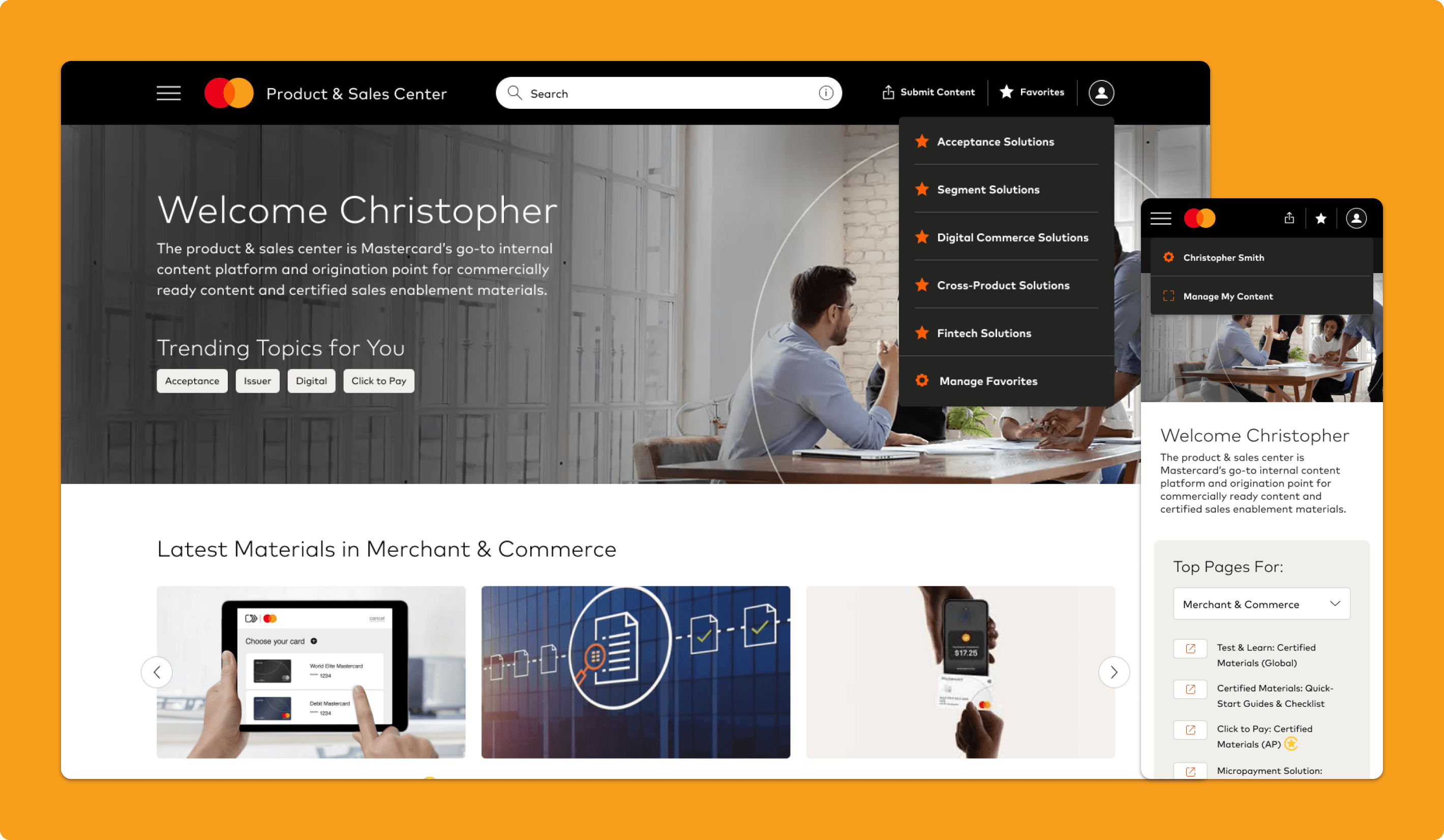
Account + Favorites Dropdowns
Bringing Saved Content Closer to the Workflow
The account and favorites dropdowns were designed to make personalized actions and saved assets easier to access from anywhere in the experience. By surfacing favorited materials and user-specific controls directly in the header, the design made it easier for employees to return to content they used regularly without digging through the platform again.
Why it mattered:
- Made saved content easier to revisit
- Reduced repeated searching for frequently used assets
- Added a more practical layer of personalization
- Supported faster access to tools users relied on most
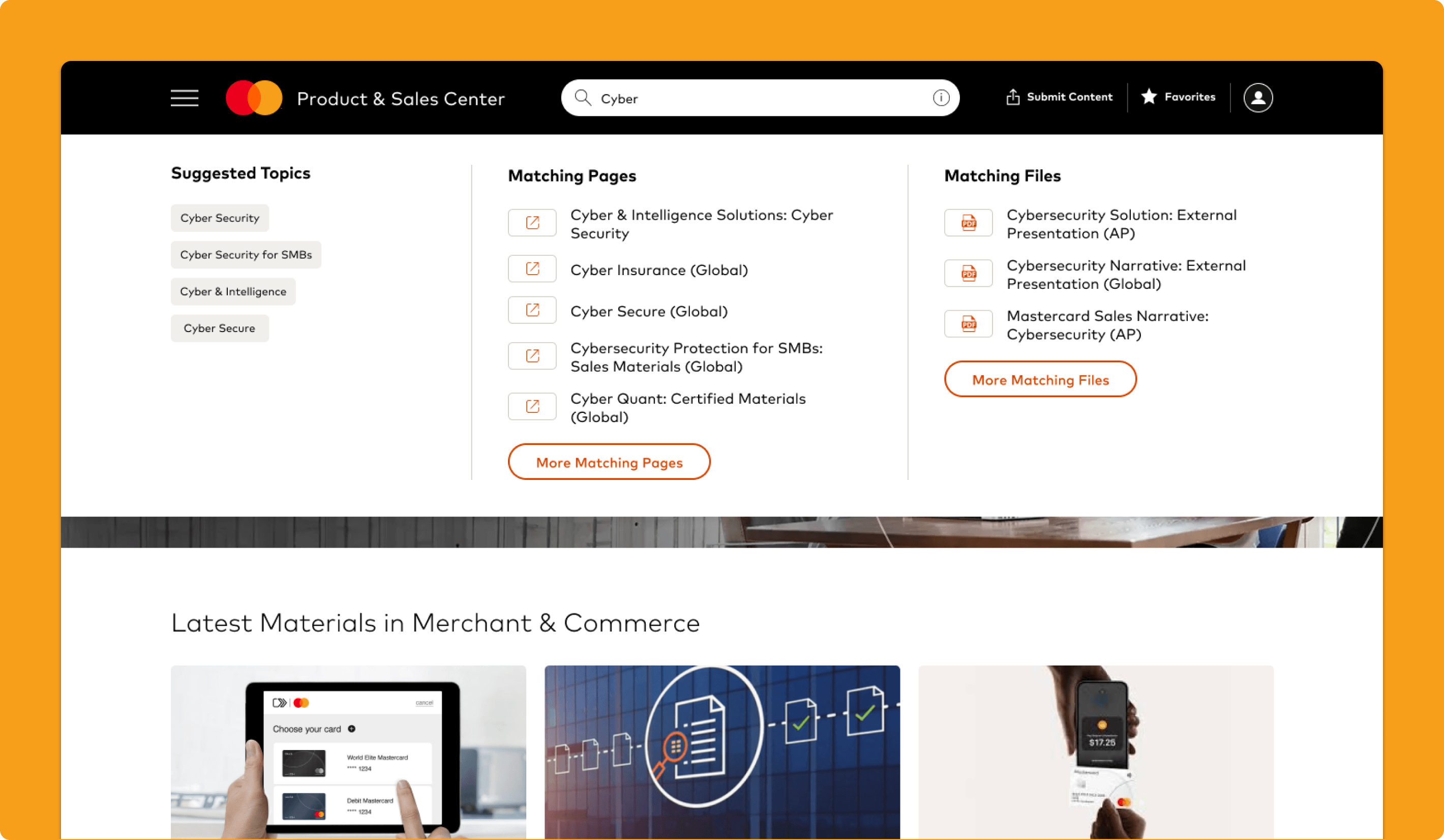
Search Suggestions
Helping Users Early in the Search Process
The search suggestions experience was designed to guide users before they had fully formed the right query. Instead of requiring exact titles or internal terminology, it surfaced likely matches, relevant categories, and possible destinations in real time as users typed.
Why it mattered:
- Made search feel more assistive and forgiving
- Reduced reliance on exact wording
- Helped users find content faster
- Improved discoverability for users unfamiliar with PSC terminology
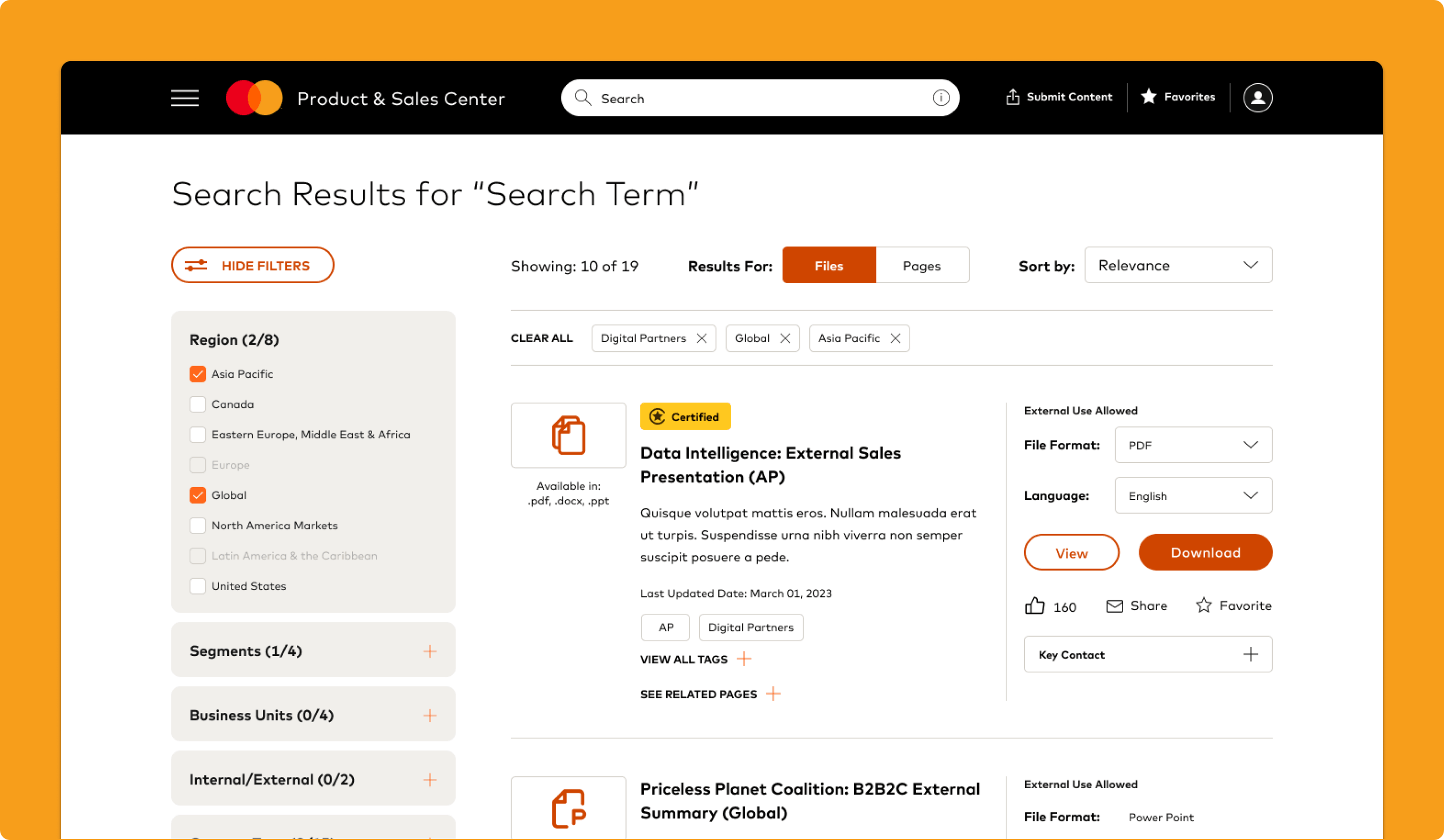
Search Results
Making Results Easier to Judge and Compare
The search results page was redesigned to make results more scannable, informative, and easier to act on. Stronger visual hierarchy, clearer formatting, and better content signals helped users quickly understand what each result was and whether it was worth opening.
Why it mattered:
- Reduced wasted clicks
- Made results easier to evaluate at a glance
- Improved confidence in search output
- Helped search feel more relevant and usable
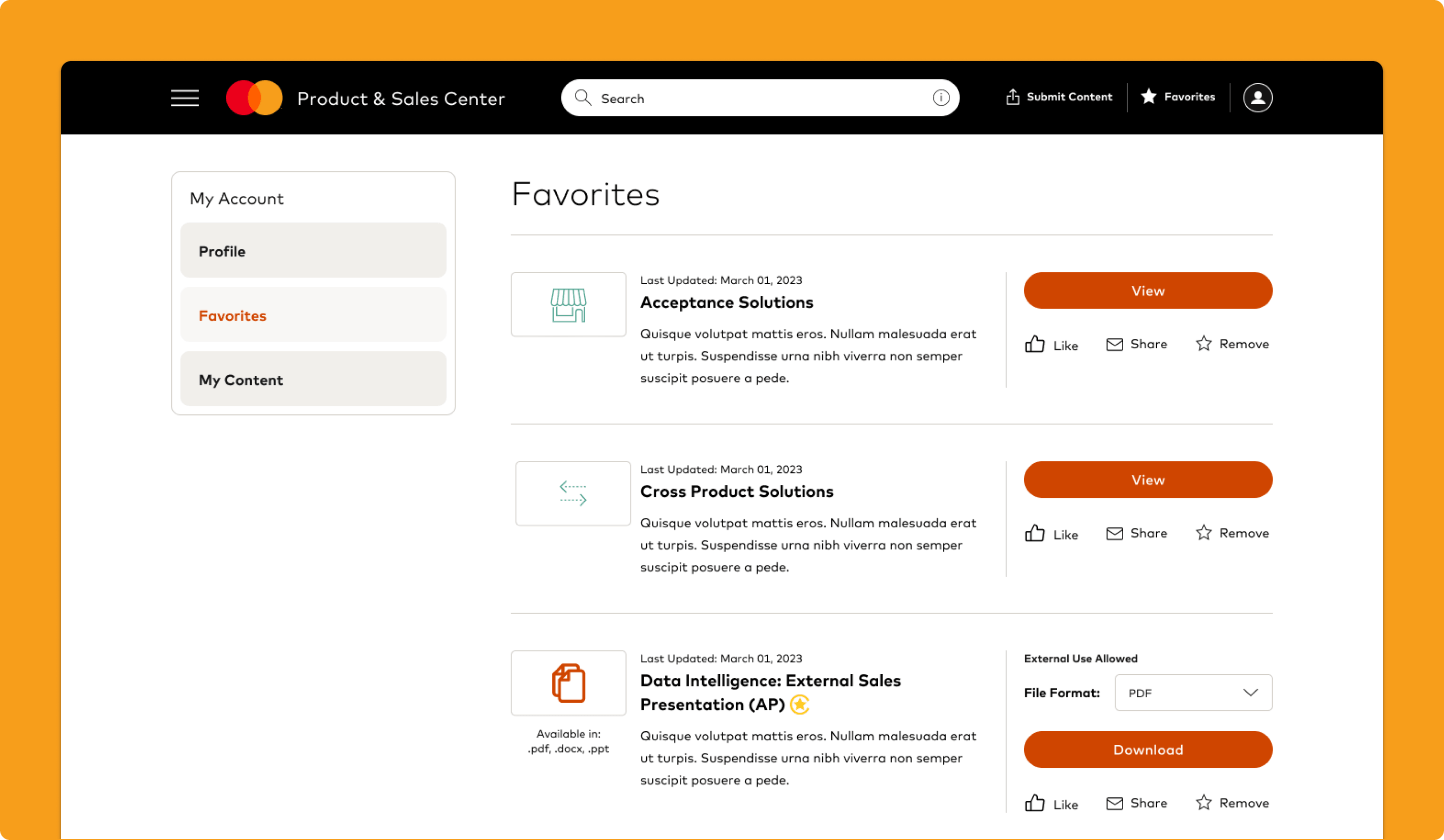
Favorites Page
Turning Saved Materials Into a More Usable Workspace
The favorites page was designed as a dedicated destination for revisiting important materials over time. Rather than treating saved items like a minor utility, the experience made them feel more like a working collection of recurring decks, slides, and assets tied to ongoing sales and customer conversations.
Why it mattered:
- Supported repeat-use behavior more intentionally
- Reduced dependence on memory
- Made important assets easier to return to
- Increased the long-term value of saved content
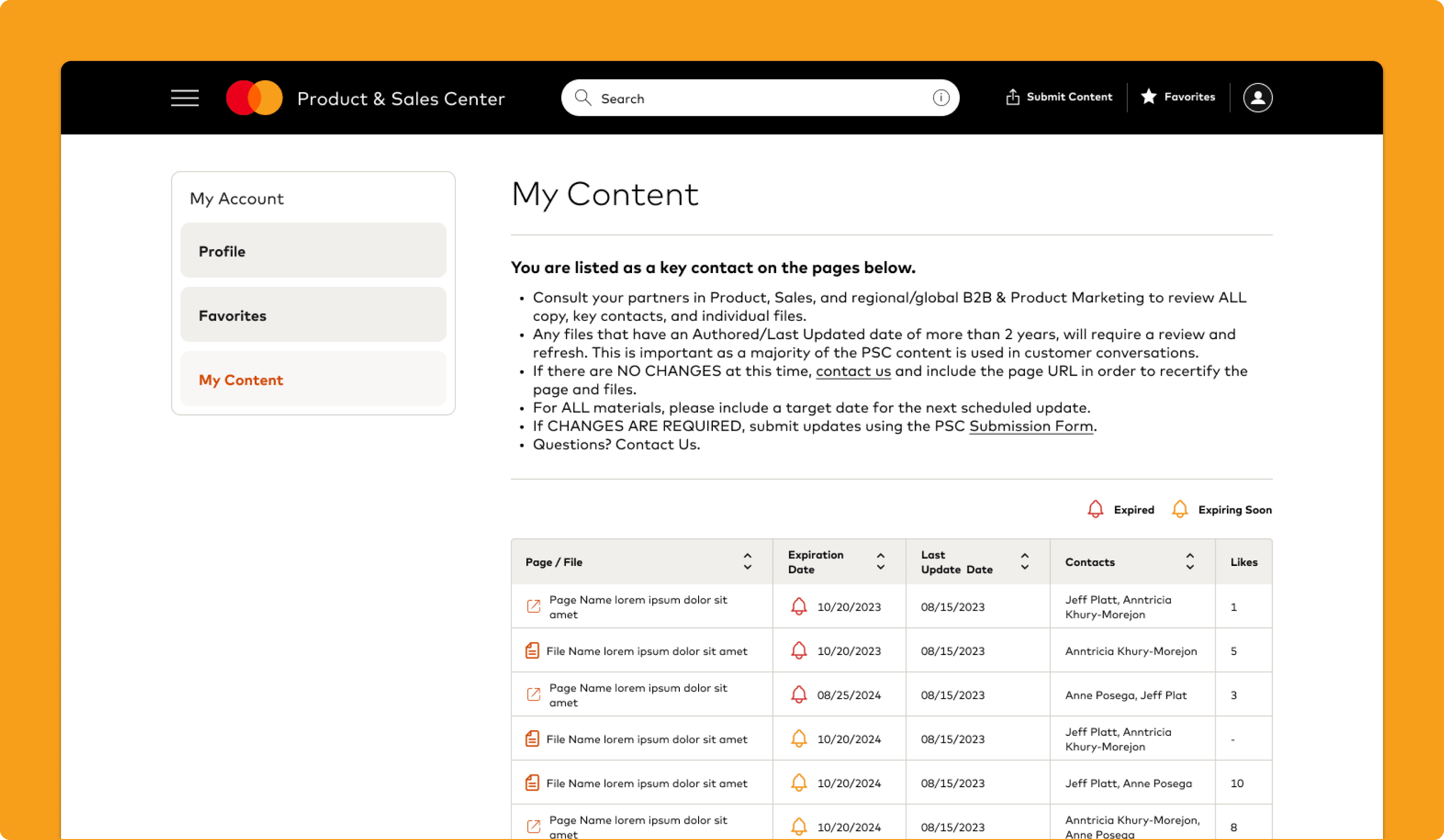
My Content
Giving Contributors More Visibility and Control
The My Content page was designed to help users better see, manage, and track the materials they owned or had submitted. It created a clearer space for managing internal content activity and gave contributors more visibility into their role in maintaining and sharing materials within the PSC.
Why it mattered:
- Improved transparency around submitted content
- Made ownership and status easier to understand
- Supported better content maintenance over time
- Strengthened the contributor experience within the platform
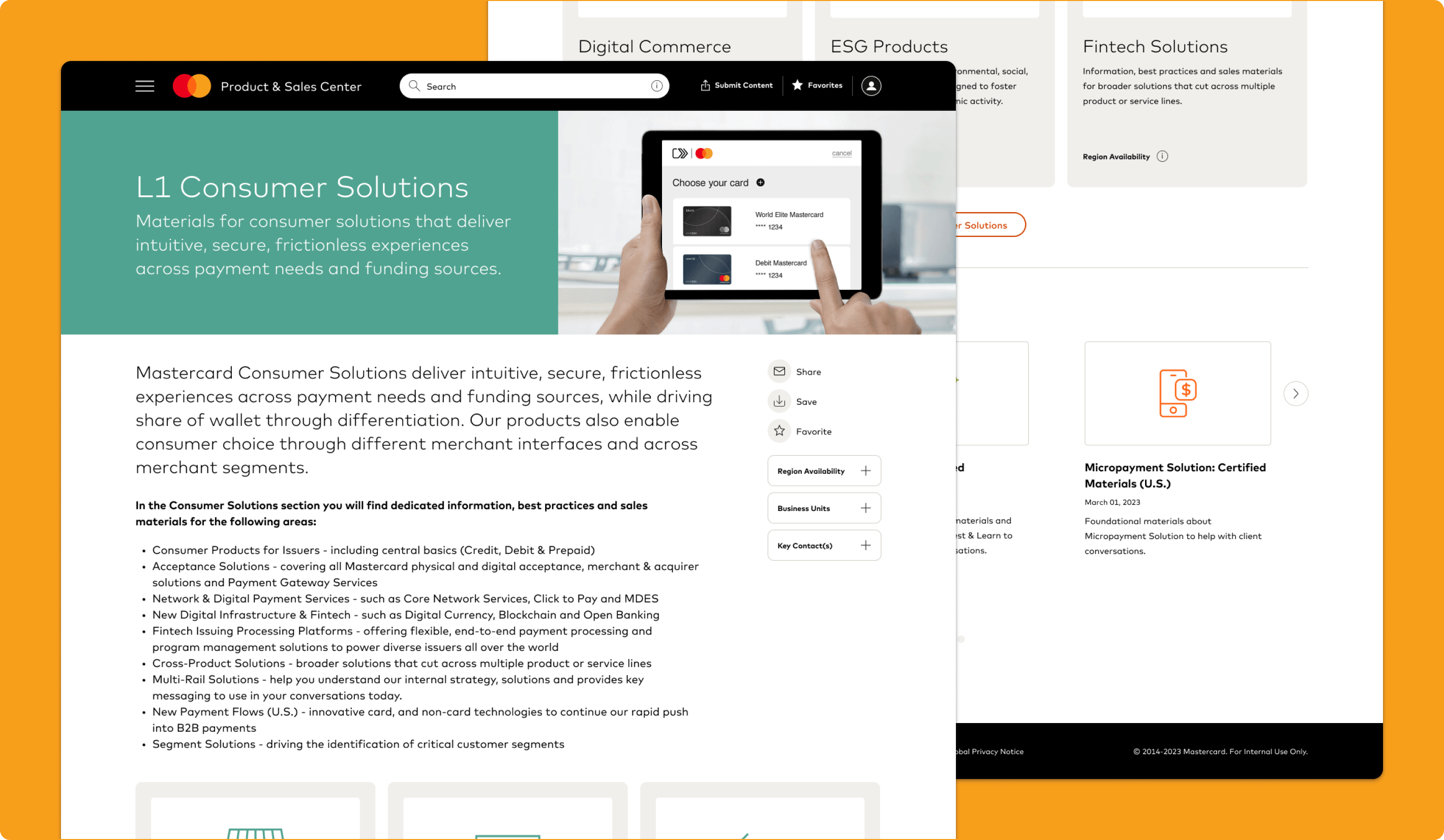
Solution Page
Creating a More Complete Destination Around a Topic
The solution page was designed to bring together key product or solution information, related assets, and supporting materials into one more cohesive destination. Instead of forcing users to piece together context across multiple files and decks, the page created a centralized view that supported faster understanding and easier preparation.
Why it mattered:
- Reduced fragmentation across related materials
- Made topic-level discovery more efficient
- Helped users prepare faster for customer conversations
- Positioned PSC as more than just a content repository
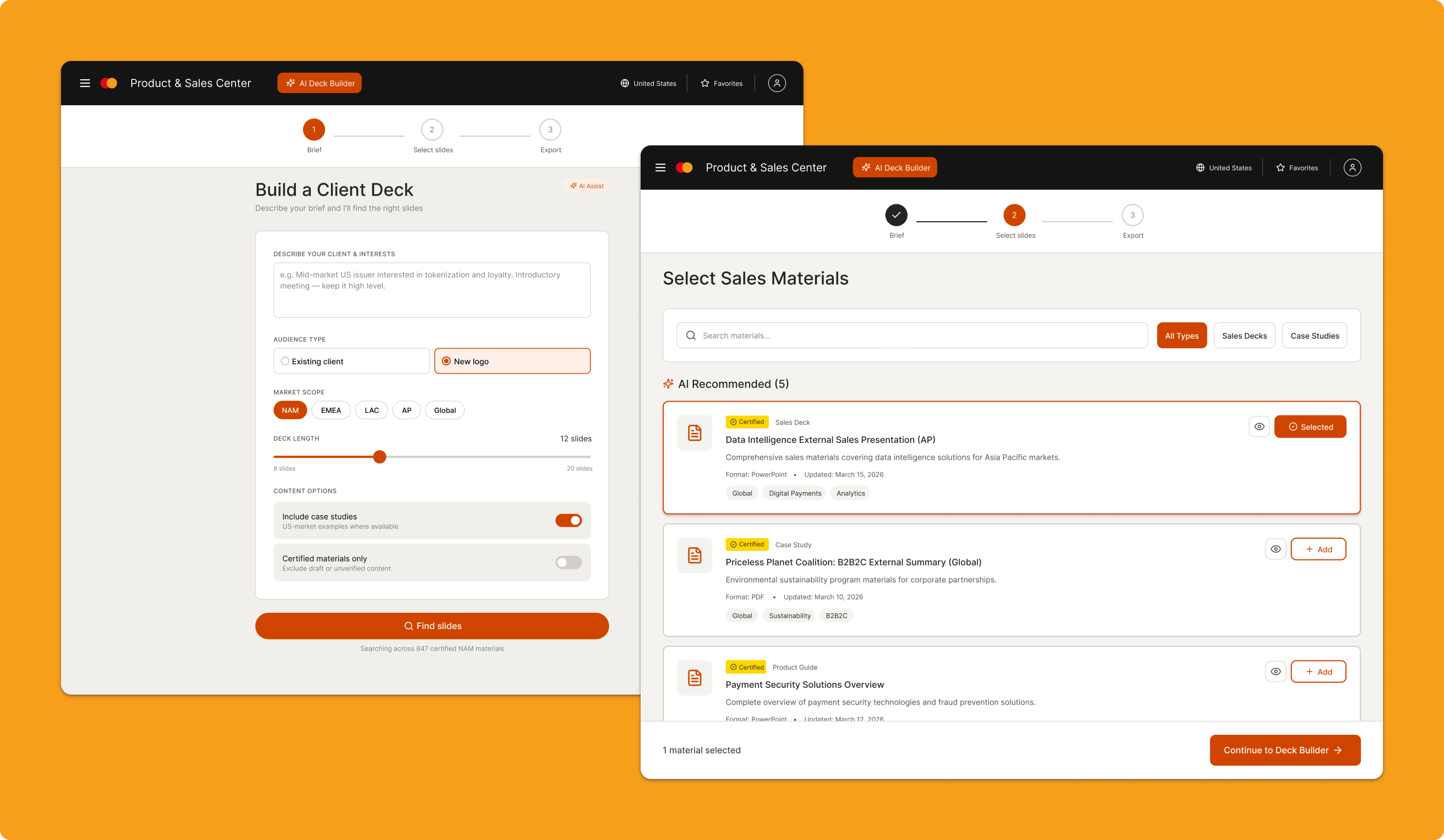
AI Deck Builder
Reducing Manual Deck Assembly
The AI Deck Builder concept was created to address a high-friction workflow uncovered in the research: employees often had to manually stitch together customer-ready presentations from multiple decks and assets. The concept introduced a guided flow where users could describe the context of a client meeting and generate a draft presentation using certified PSC materials that matched their needs.
Why it mattered:
- Reduced manual effort in deck creation
- Increased reuse of approved materials
- Helped users move from discovery to output faster
- Showed how the PSC could play a more active role in getting work done