AI-Driven Connected Vehicle App
Designing a mobile app for vehicle setup, connectivity, diagnostics, and maintenance
Platforms
iOS, Android
Deliverables
Prototypes
Expertise
iA, UI / UX Design
Year
2023
Project Overview

Designing a Mobile Tool for Setup and Service
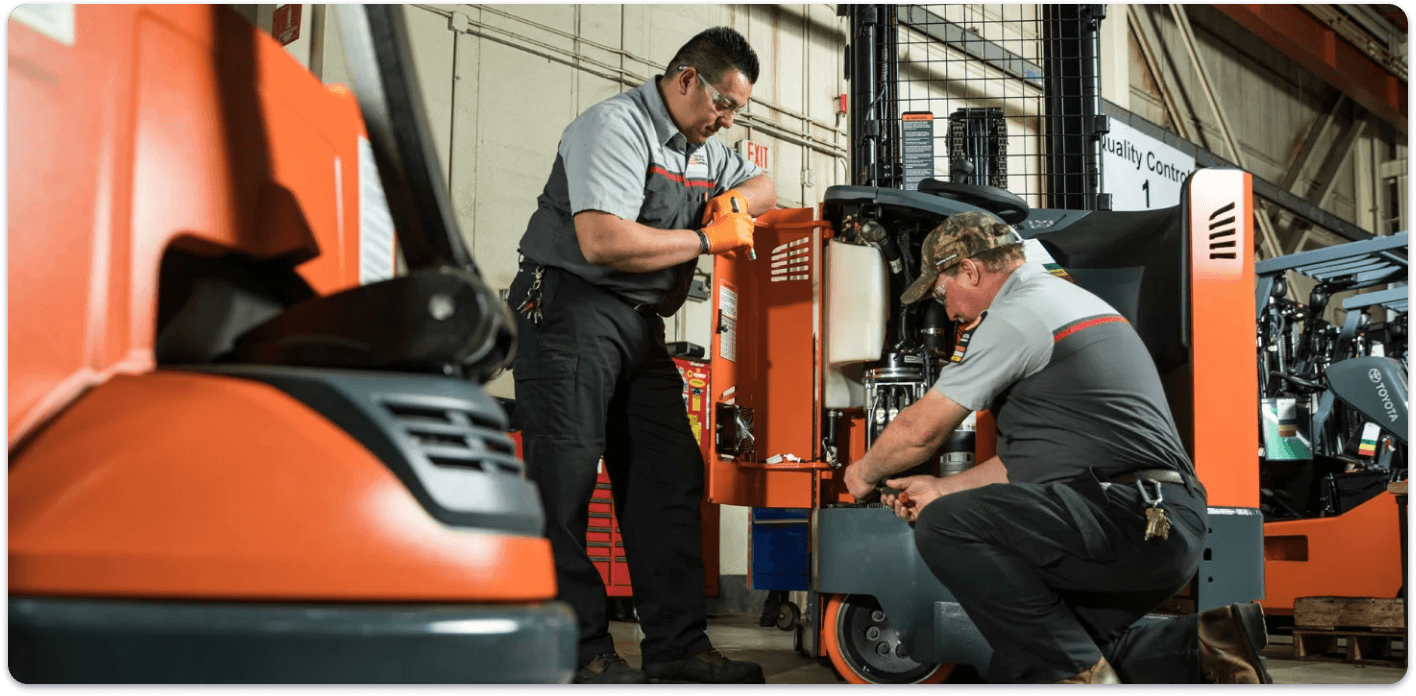
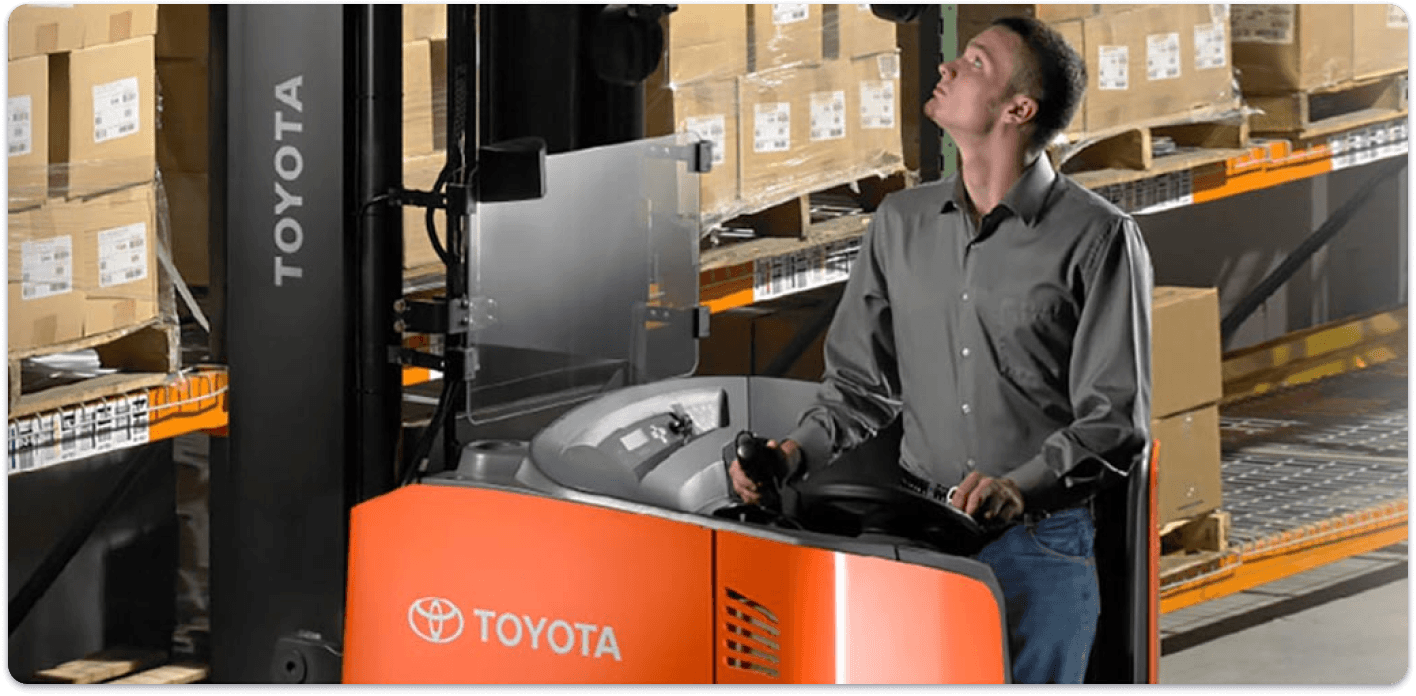
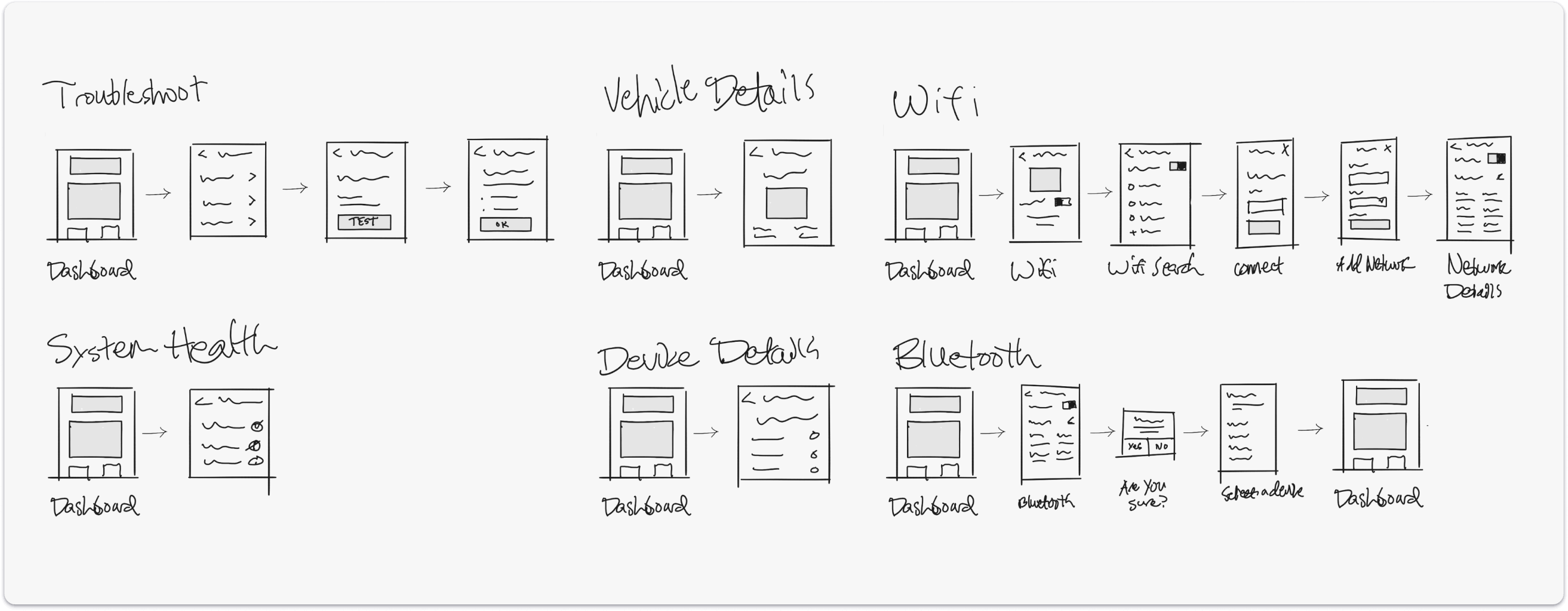
Toyota Material Handling needed a mobile application that could support technicians and dealers in configuring vehicles, pairing telematics hardware, troubleshooting issues, and monitoring system status in the field. The concept was designed around key operational workflows such as vehicle identification, installation, diagnostics, Bluetooth pairing, Wi-Fi setup, and system health visibility, bringing these needs into a more unified mobile tool that could support setup and service work more clearly and efficiently.
The project also explored how AI-powered capabilities could extend the value of the platform beyond core setup and maintenance, introducing opportunities for safety monitoring, predictive maintenance, route optimization, conversational support, and driver coaching to position the experience as more than a diagnostic tool alone.
Design Strategy

Translating Technical Workflows Into a Mobile App
The overall experience was designed to make connected vehicle workflows easier to understand, easier to complete, and easier to manage in the field. The app created clearer pathways across vehicle search, pairing, installation, diagnostics, and connectivity while also introducing higher-level monitoring and AI-assisted features that could help users move from issue identification to action more quickly.
Our designs strived for a more focused operational experience: one that supports setup, service, and system awareness in a way that feels structured, usable, and increasingly intelligent over time.
Vehicle Search
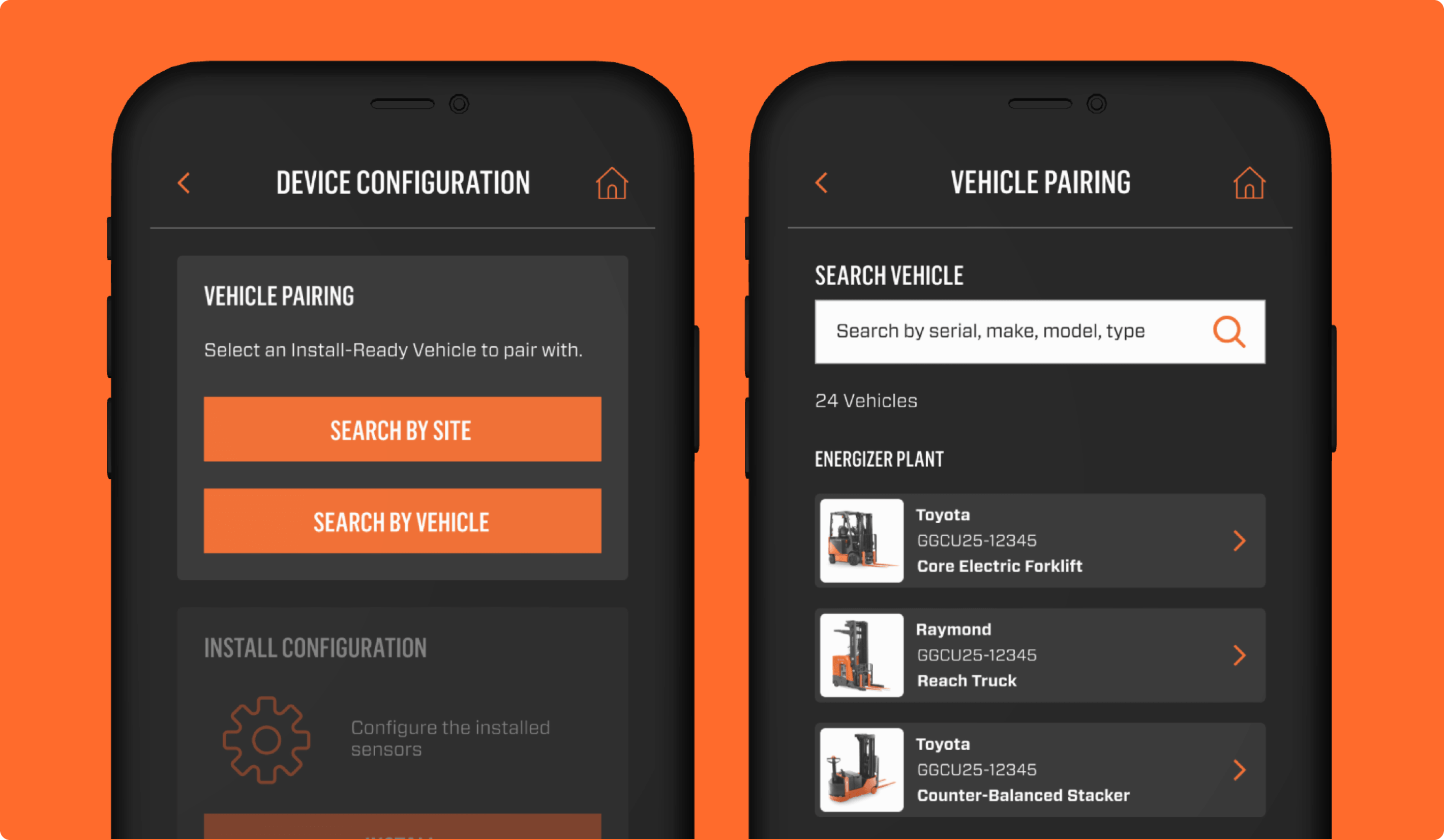
Helping Users Locate the Right Vehicle Faster
Vehicle Search was designed to help users narrow down the correct vehicle or site before moving into pairing and setup. The experience supports search, site selection, and filtering by attributes such as manufacturer, vehicle type, and fuel type, giving users multiple ways to move from a broad results set into a more precise match.
Why it mattered:
- Reduced time spent searching through long vehicle lists
- Helped users confirm they were working with the correct vehicle
- Created a clearer path into setup and installation workflows
Vehicle Pairing
Connecting the App to the Vehicle
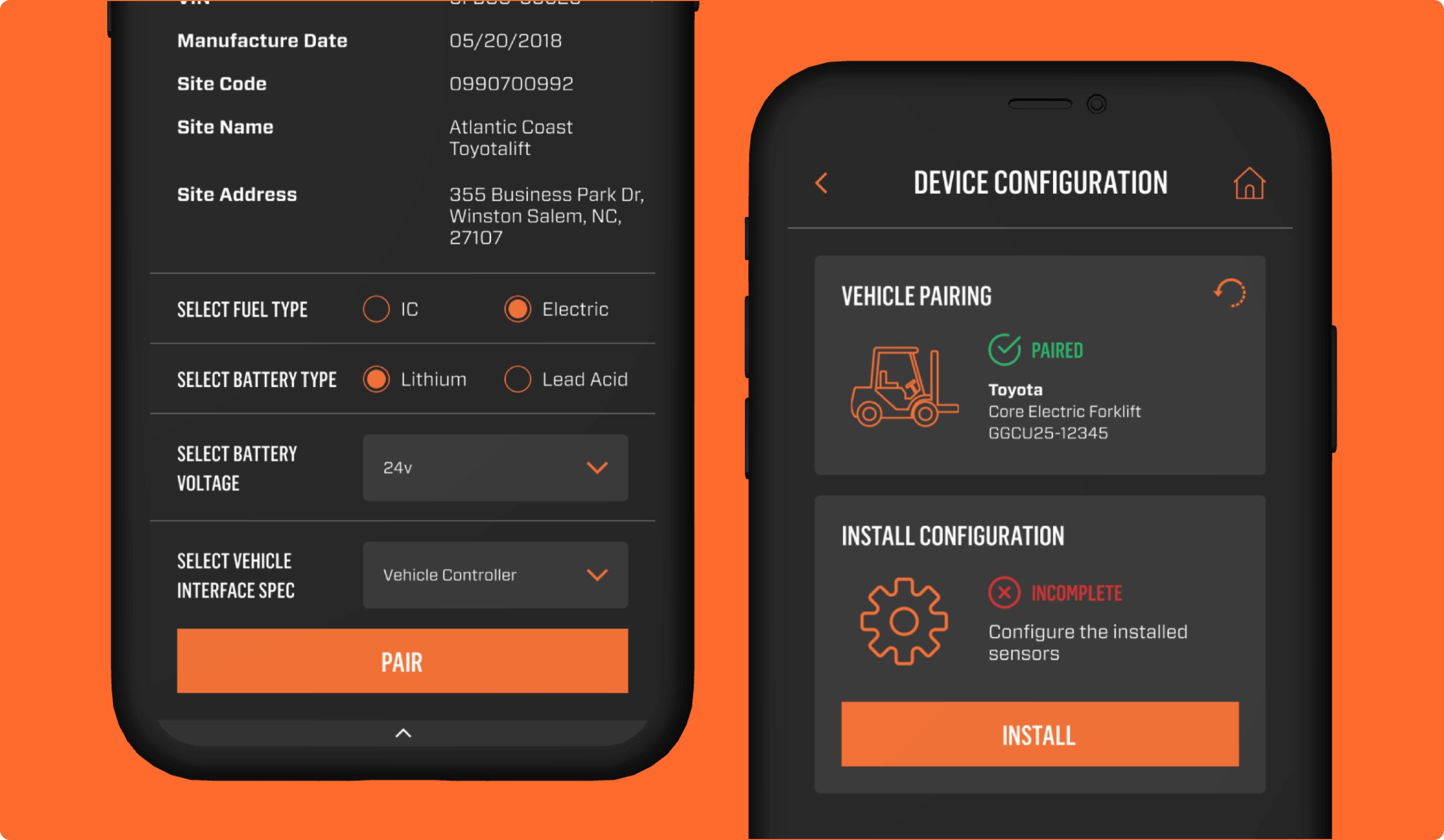
The pairing flow was designed as the bridge between vehicle identification and installation. Once a user selects the correct vehicle, the app presents key contextual details such as model, serial number, manufacturer, fuel type, and vehicle type to make that connection feel explicit before moving into more technical tasks. This gives users a stronger sense of confidence that they are configuring the correct vehicle and reduces ambiguity early in the workflow.
Why it mattered:
- Created more confidence before installation begins
- Reduced setup errors tied to incorrect vehicle selection
- Establishes the foundation for all downstream install and diagnostic tasks
App Dashboard
A Central Workspace for Status, Setup, and Action
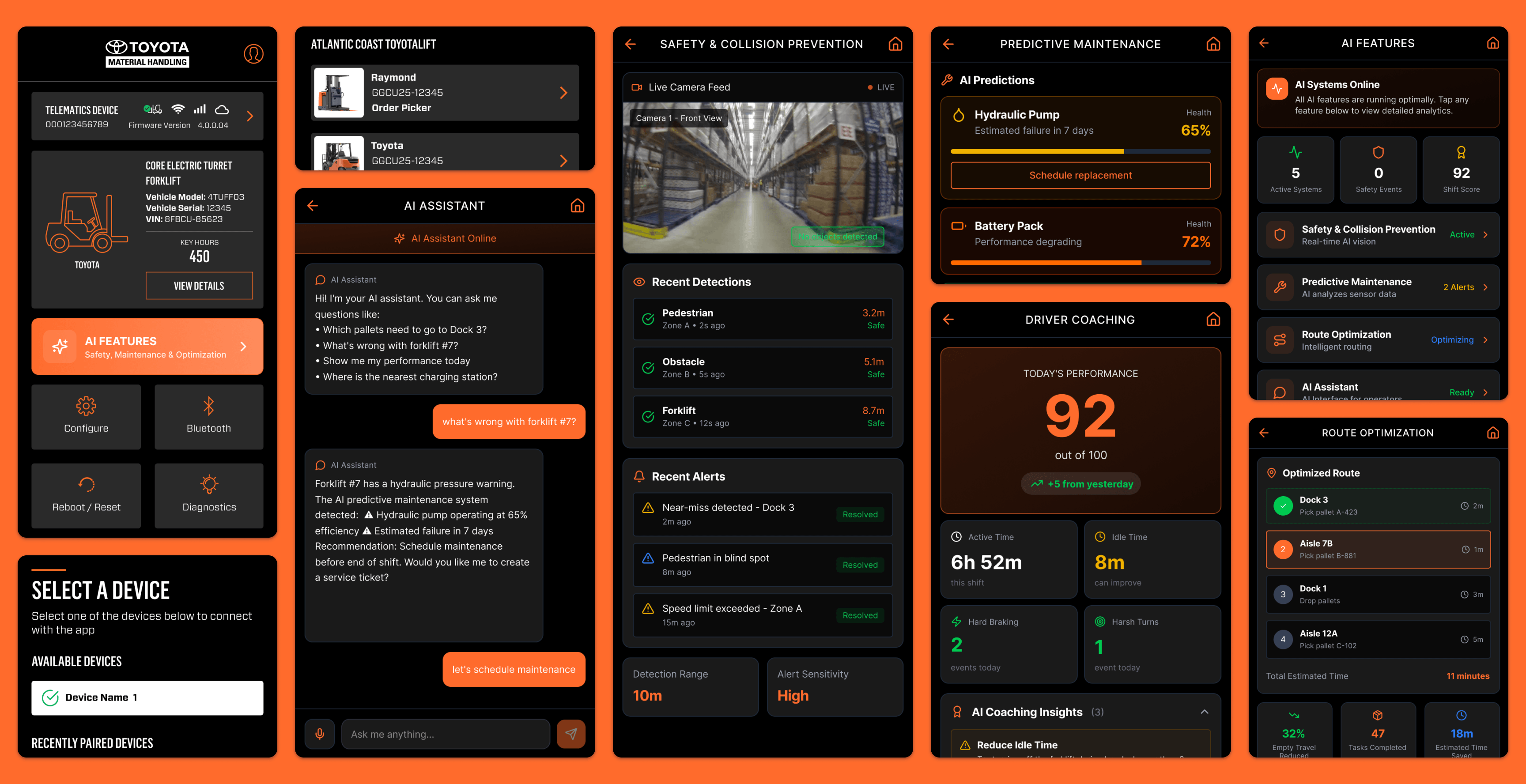
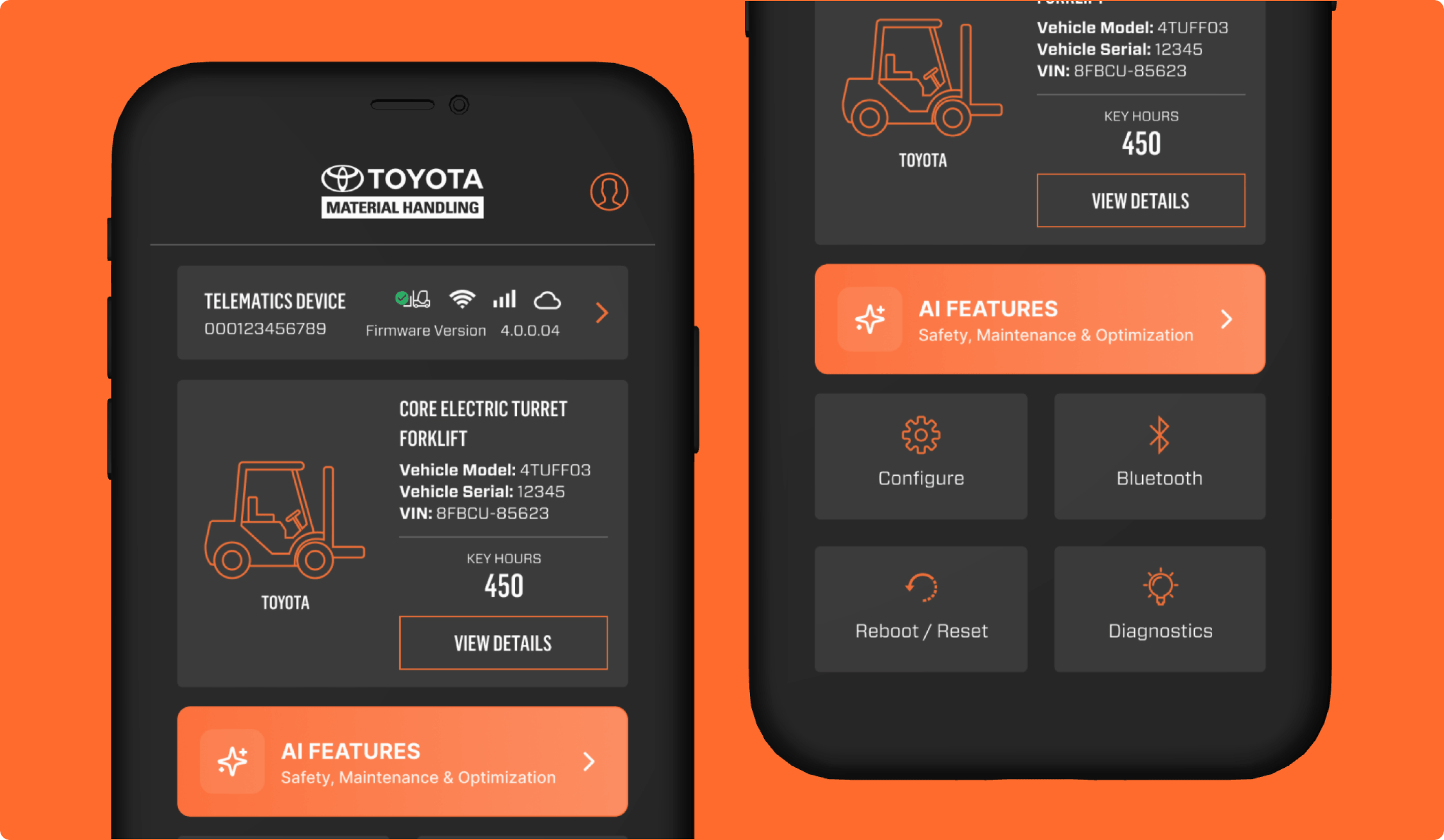
The dashboard was designed to function as the main operational hub of the app. It brings together key vehicle details, connection health, firmware, and device status in one scannable view while also providing direct entry points into major workflows such as configuration, diagnostics, Bluetooth, reboot, and reset. Rather than making users jump across disconnected areas, the dashboard creates a clearer starting point for understanding current system state and taking the next step. A dedicated AI Features Hub also extends the dashboard beyond setup and service by giving users access to intelligent tools for safety, maintenance, and optimization.
Why it mattered:
- Gives users a single place to understand current device, vehicle, and connection status
- Improves access to the app’s most important setup and service actions
- Created a stronger home screen for both operational workflows and AI-enabled insight
AI Hub
A Dedicated Space for Monitoring AI Capabilities
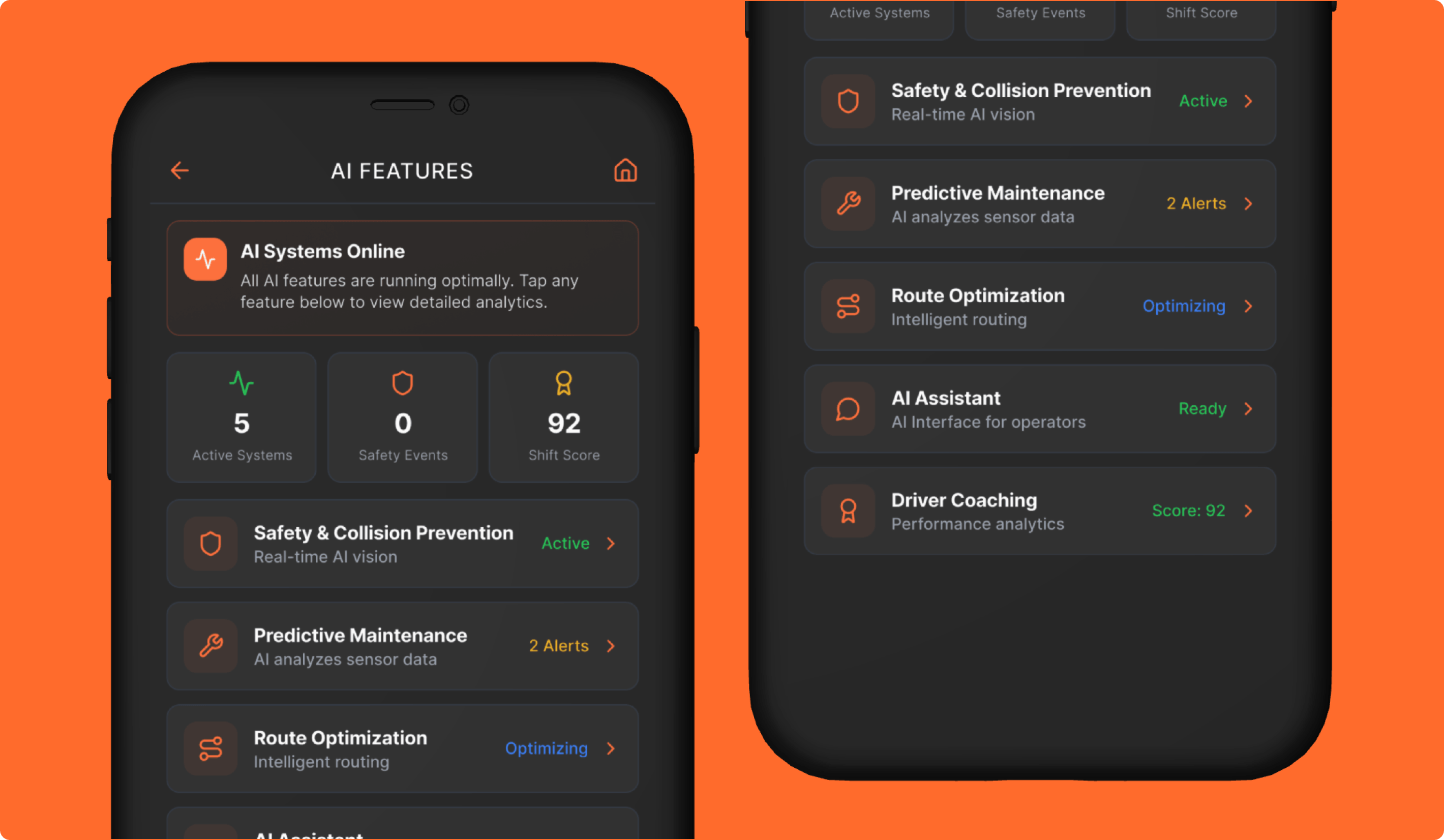
The AI Hub was designed as a centralized dashboard for the app’s AI-powered features. It gives users a quick view into which systems are active, where attention may be needed, and how different intelligence layers are performing across safety, maintenance, routing, assistance, and coaching. Summary cards and feature statuses make AI feel visible and manageable rather than buried inside separate experiences.
This makes the hub not only a navigation layer, but also as a monitoring environment where users can understand AI activity at a glance and move directly into more detailed feature-level views.
Why it mattered:
- Gives users a centralized place to monitor all AI capabilities at a glance
- Helped users quickly identify where action may be needed
- Creates a more actionable AI experience by combining performance summaries with direct access to feature-level detail
Safety & Collision Prevention
Real-Time Visibility Into AI-Powered Hazard Detection
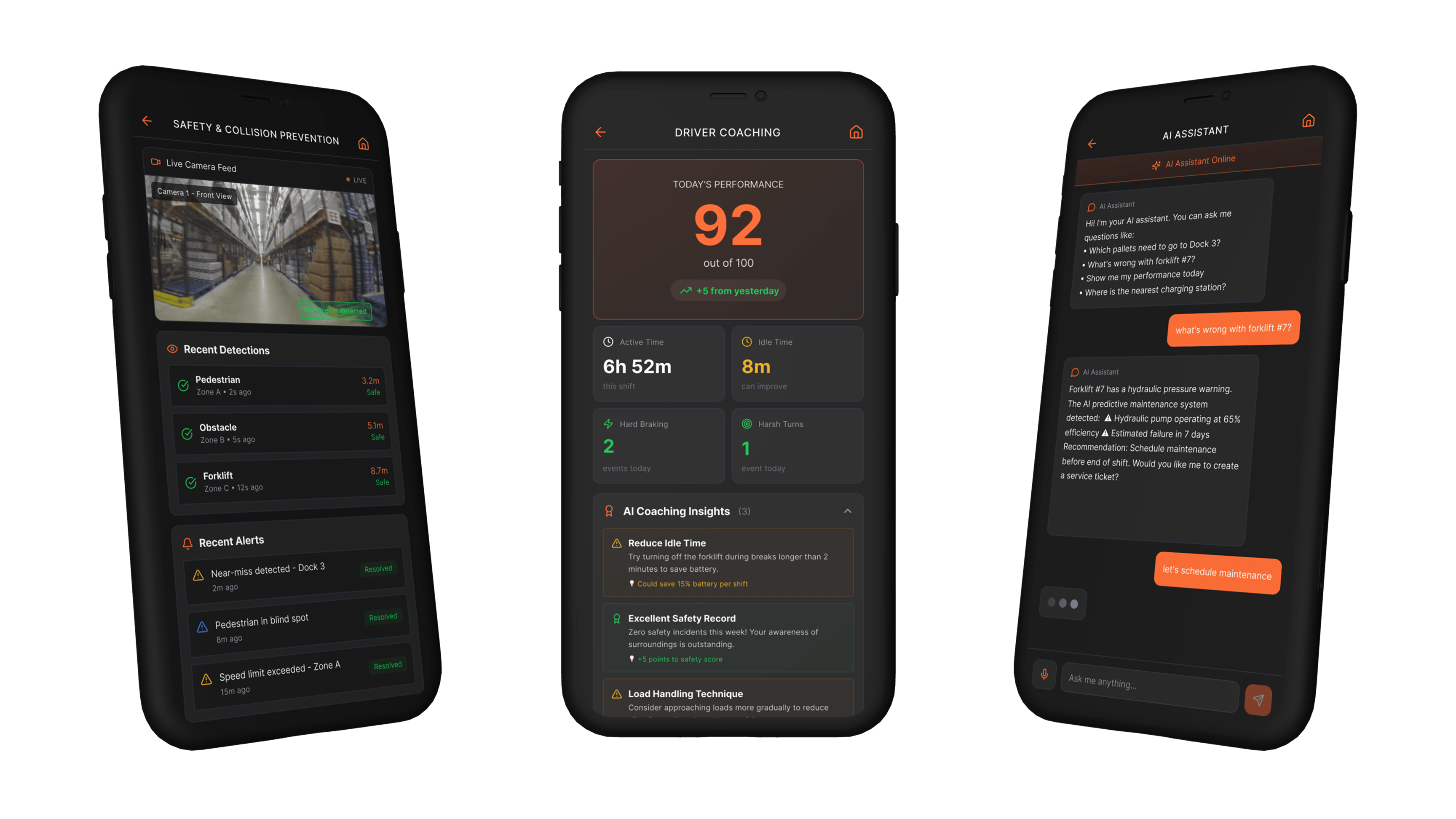
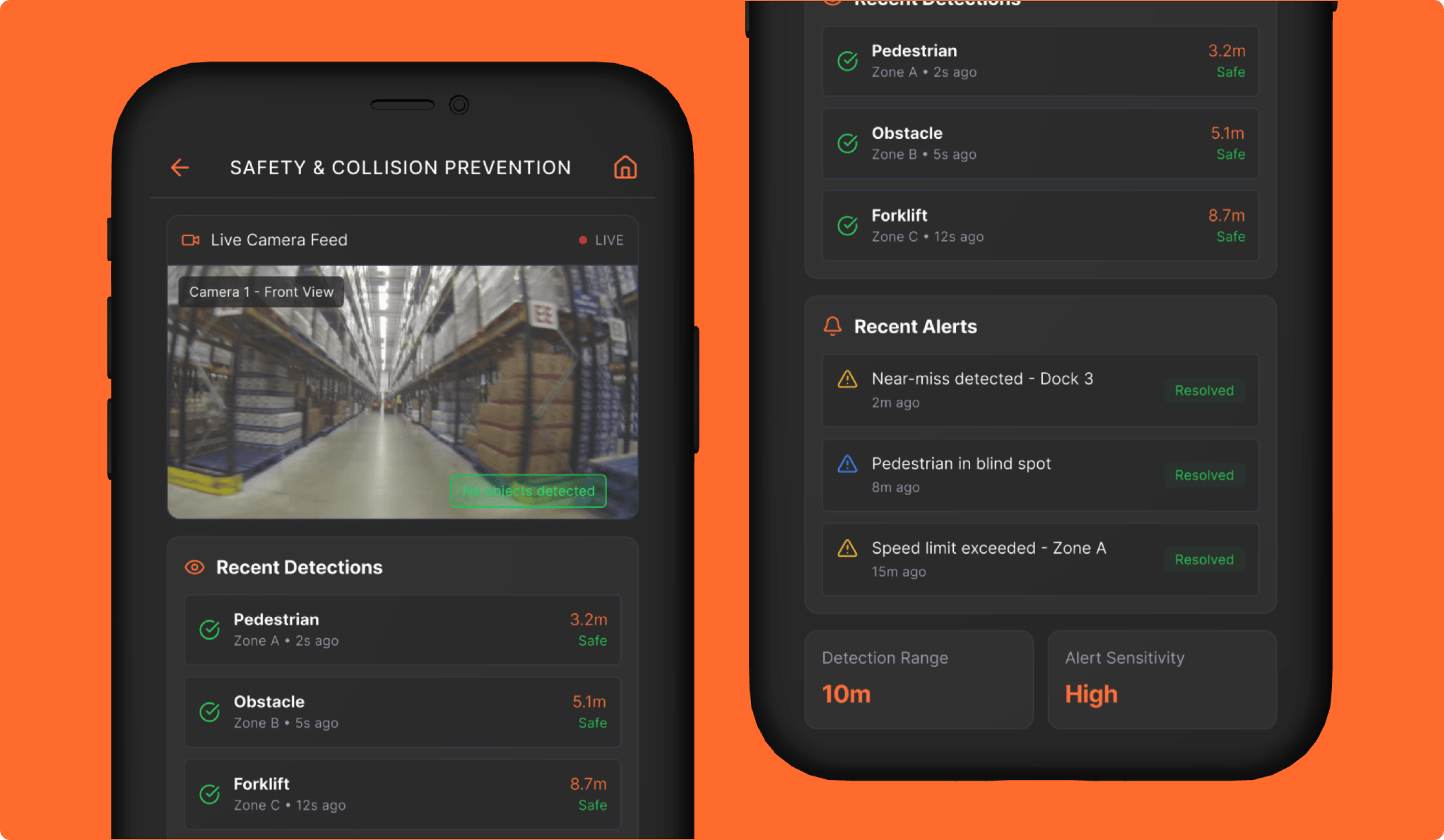
The Safety & Collision Prevention experience was designed to give users a more immediate view into how AI vision could monitor warehouse conditions in real time. A live camera feed provides environmental context while detection messaging and recent alerts help users understand what was identified, where it occurred, and whether the issue is still active or resolved. This turns raw visibility into something more operational and actionable.
Why it mattered:
- Provides immediate visibility into current safety status
- Helps teams review recent alerts and resolution status quickly
- Connects warehouse activity with AI-driven safety awareness
Predictive Maintenance
Turning Sensor Data Into Early Maintenance Action
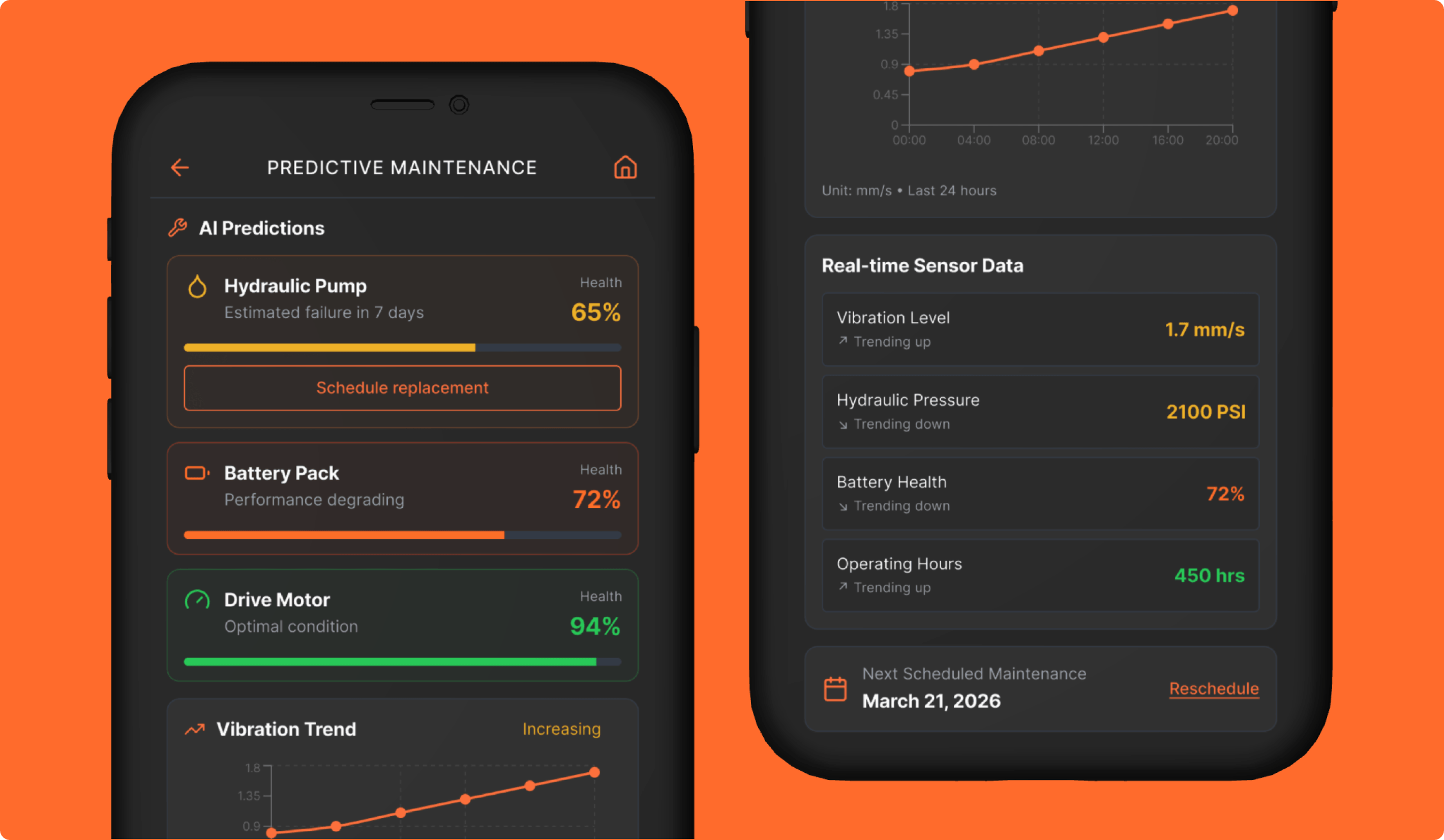
The Predictive Maintenance screen was designed to help users move from reactive repair toward earlier intervention. Alerts, component health indicators, estimated failure timing, and recommended next steps work together to show which parts may need attention before a more serious problem occurs. Supporting charts and sensor data give additional context so the prediction feels grounded and easier to interpret.
Why it mattered:
- Provides immediate visibility into current safety status
- Made component health and maintenance priorities easier to understand
- Connects warehouse activity with AI-driven safety awareness
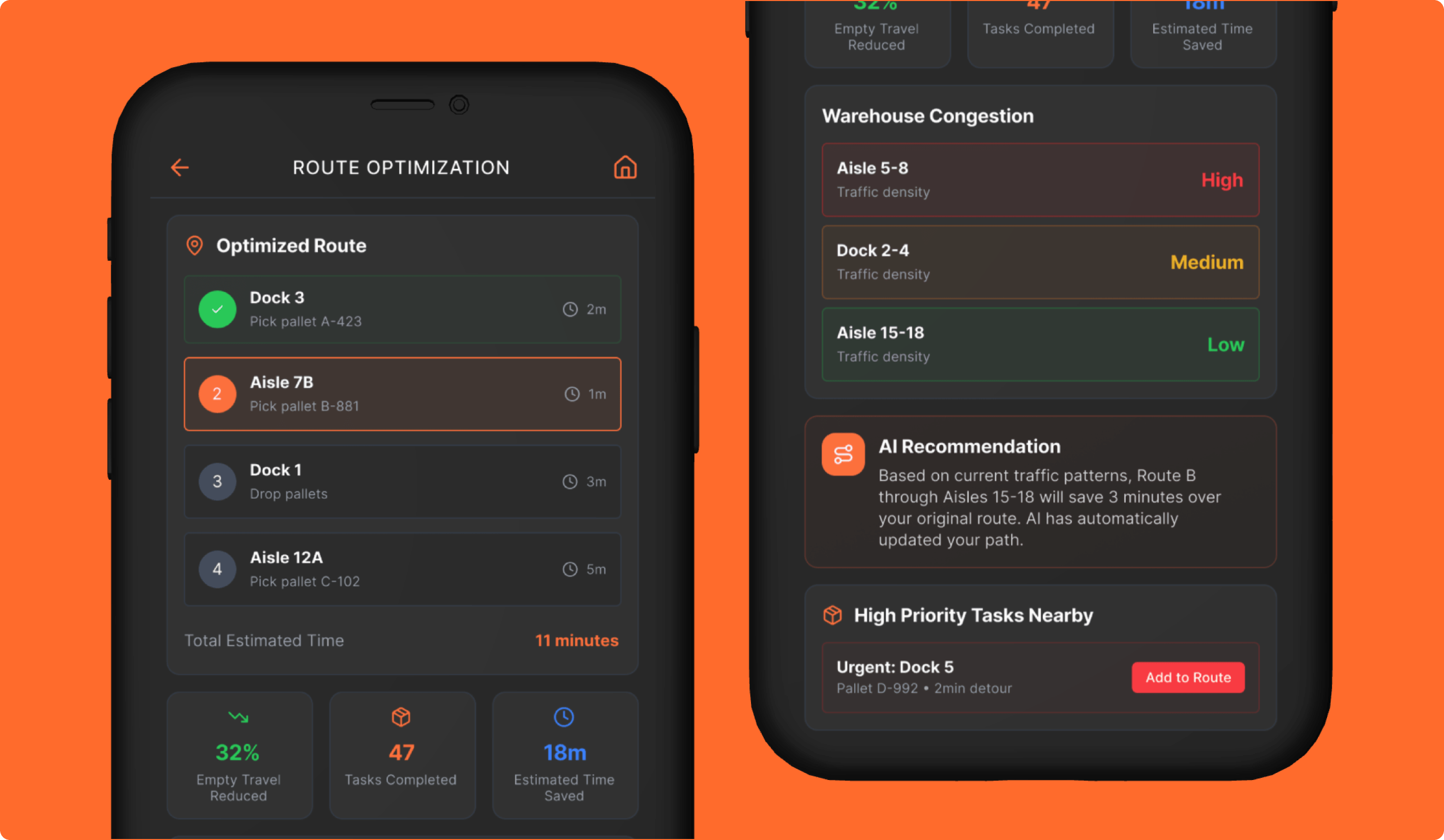
Route Optimization
Using AI to Turn Traffic Patterns Into Smarter Task Routing
The Route Optimization experience was designed to help operators move through warehouse tasks more efficiently by adjusting routes based on traffic, task priority, and proximity. The screen combines routing status, current and upcoming tasks, congestion insights, and productivity metrics to make AI-driven recommendations feel more transparent and useful in context. Rather than showing only a route, it helps users understand why a particular recommendation is being made.
Why it mattered:
- Reduces wasted movement with dynamic routing
- Helps operators prioritize the next best task
- Builds trust by showing traffic conditions and time savings
- Surfaces nearby high-priority work within the current flow
- Improves warehouse productivity and efficiency
AI Assistant
Providing Conversational Support Inside the Workflow
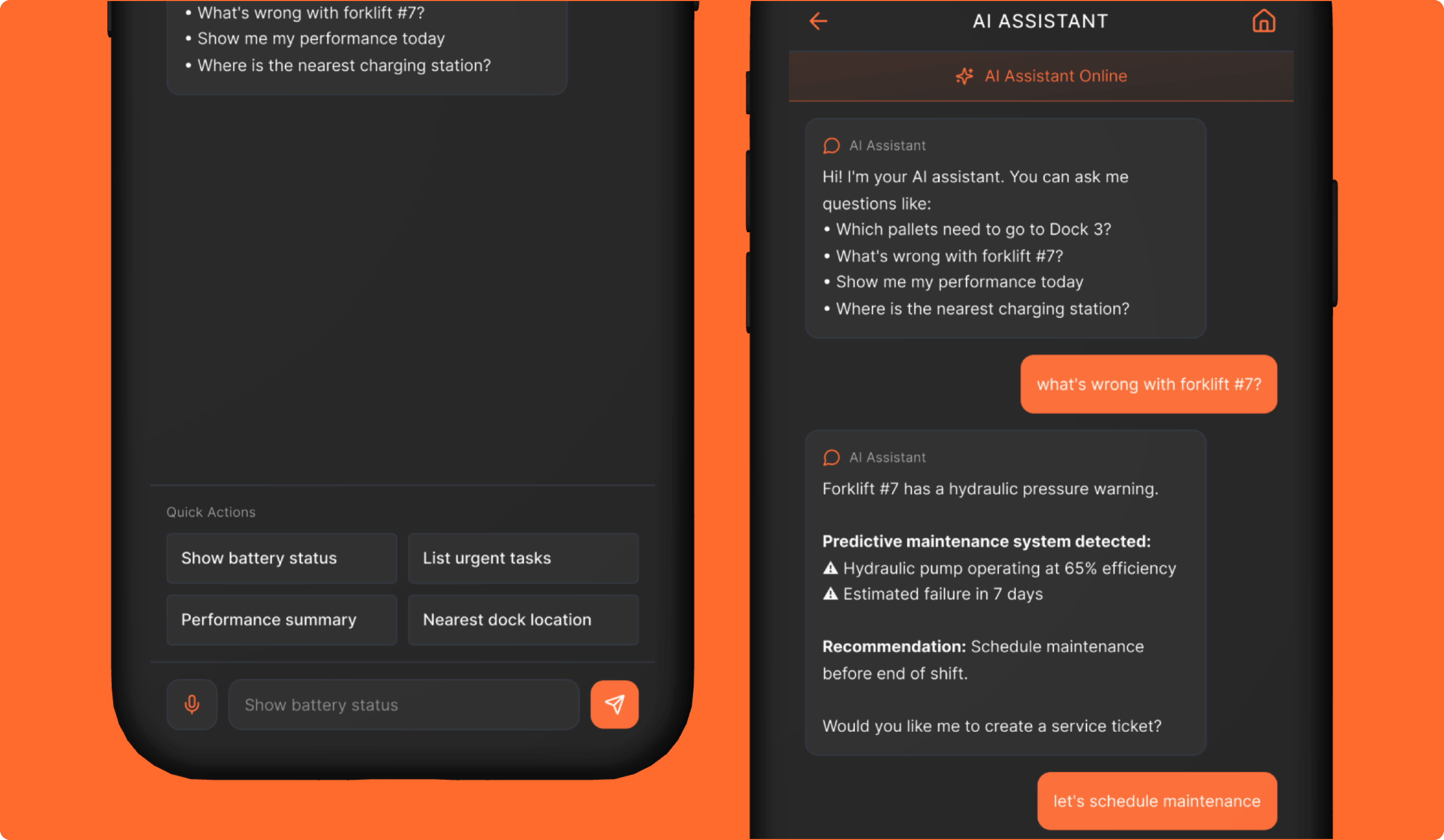
The AI Assistant was designed as a conversational layer that helps users ask questions and get context-aware answers without relying only on traditional navigation. Through a chat-based interface, users can locate equipment, ask about performance issues, understand recommendations, and move directly toward actions such as creating a service ticket. This makes the experience feel more assistive and lowers the effort required to retrieve information.
Why it mattered:
- Makes system information easier to access through natural language
- Connects AI insights into a conversational workflow
- Helps users move from questions to action faster
Driver Coaching
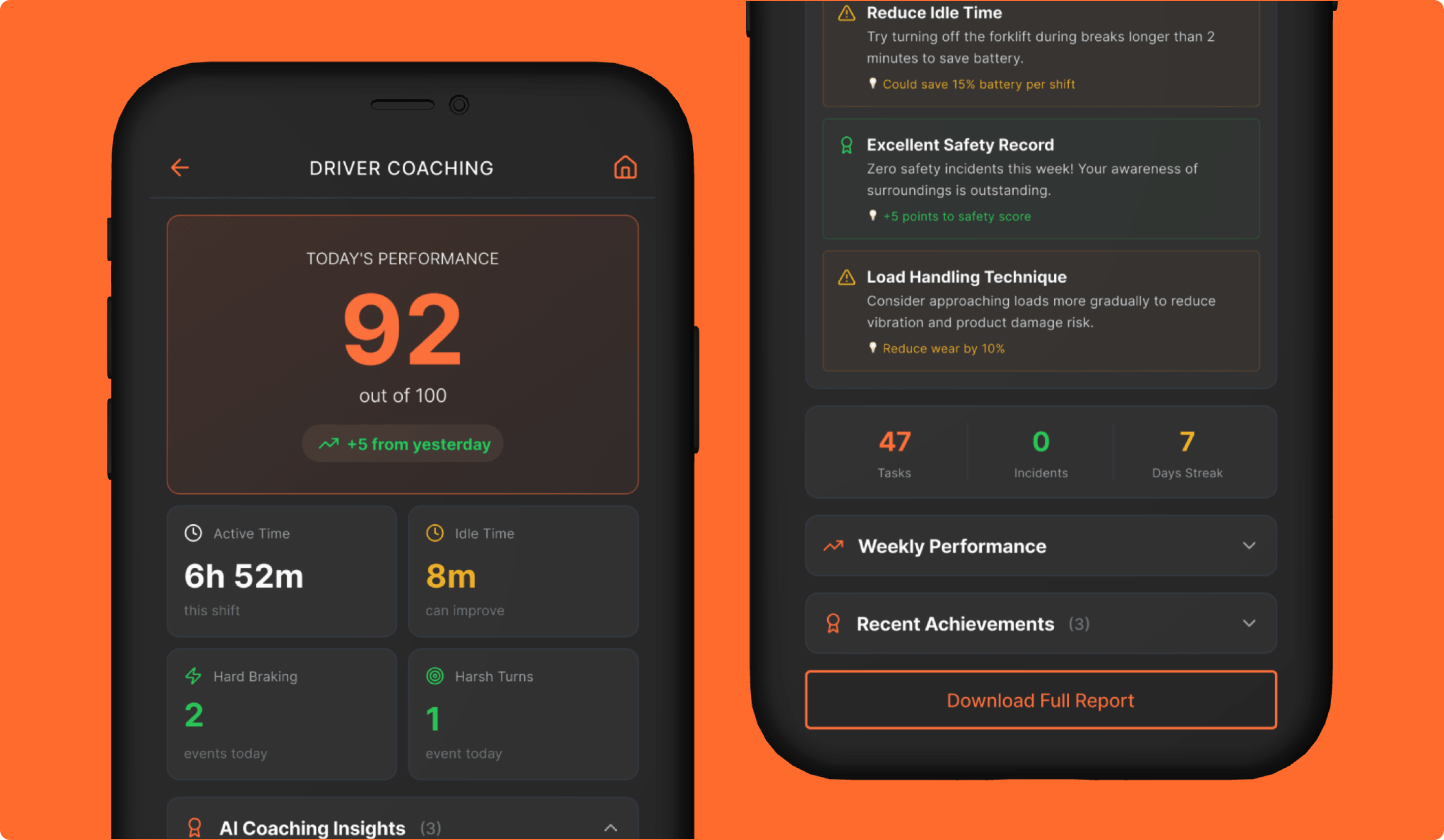
Turning Operator Behavior Into Personalized Coaching
The Driver Coaching experience was designed to translate operator activity into coaching that feels clear, personalized, and useful over time. The screen evaluates patterns across braking, turning, idle time, safety behavior, shift activity, and load handling, then turns those signals into performance scores, trends, and practical coaching guidance.
Why it mattered:
- Uses AI to turn driving and shift data into personalized coaching
- Balances corrective feedback with positive reinforcement
- Connects safety, efficiency, battery use, and equipment care
Install Configuration
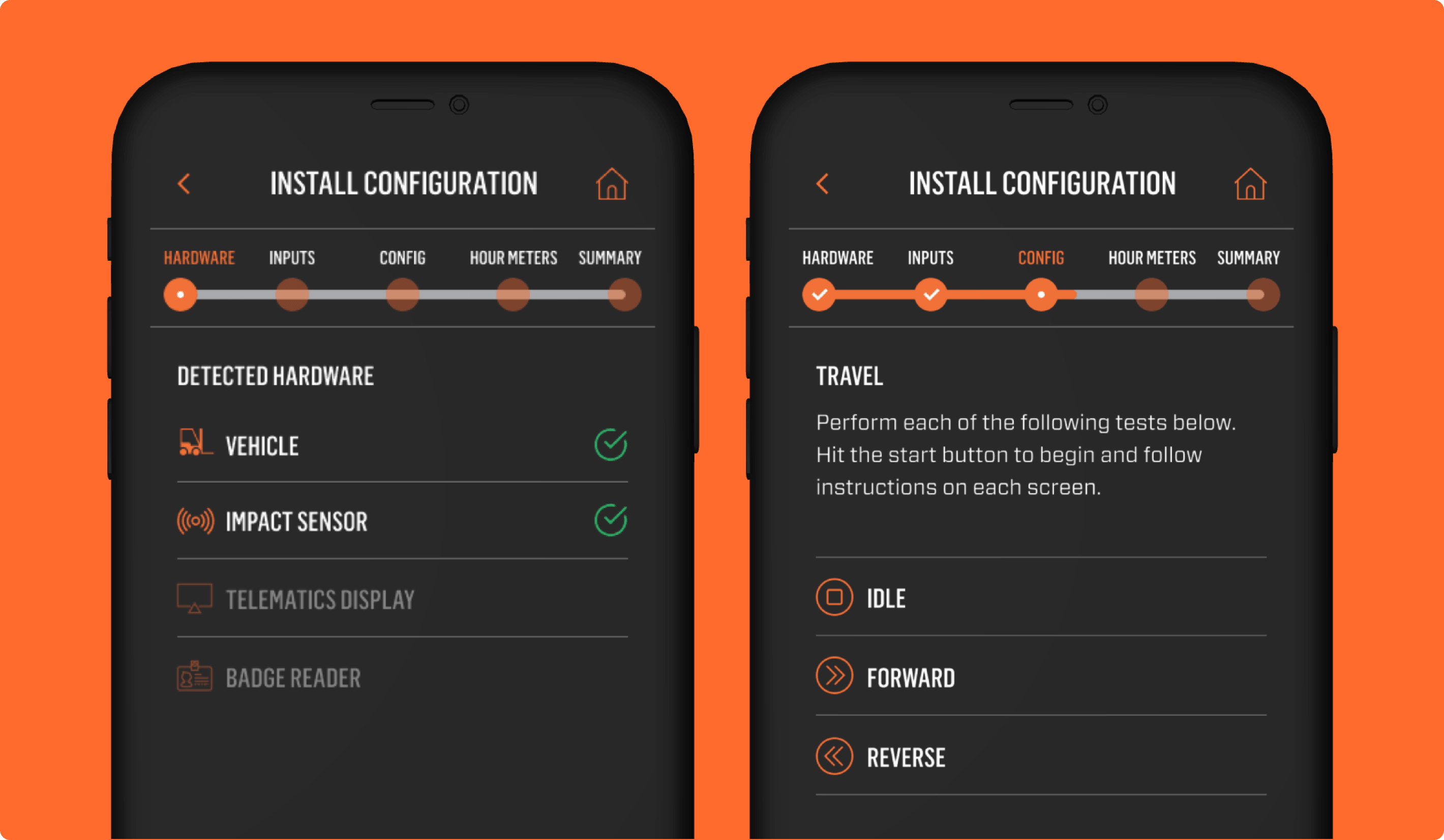
Guiding Users Through Multi-Step Device Setup
Install Configuration was designed as a structured, step-by-step setup flow for configuring hardware and validating inputs. Instead of presenting everything at once, the experience breaks the work into manageable steps across hardware setup, validation checks, drive-related inputs, baseline configuration, and installation summary. This makes a highly technical process feel more guided and easier to complete with confidence.
Why it mattered:
- Breaks down a complex setup process into more manageable steps
- Helps users validate critical inputs before completing installation
- Supports a more guided and confident configuration workflow
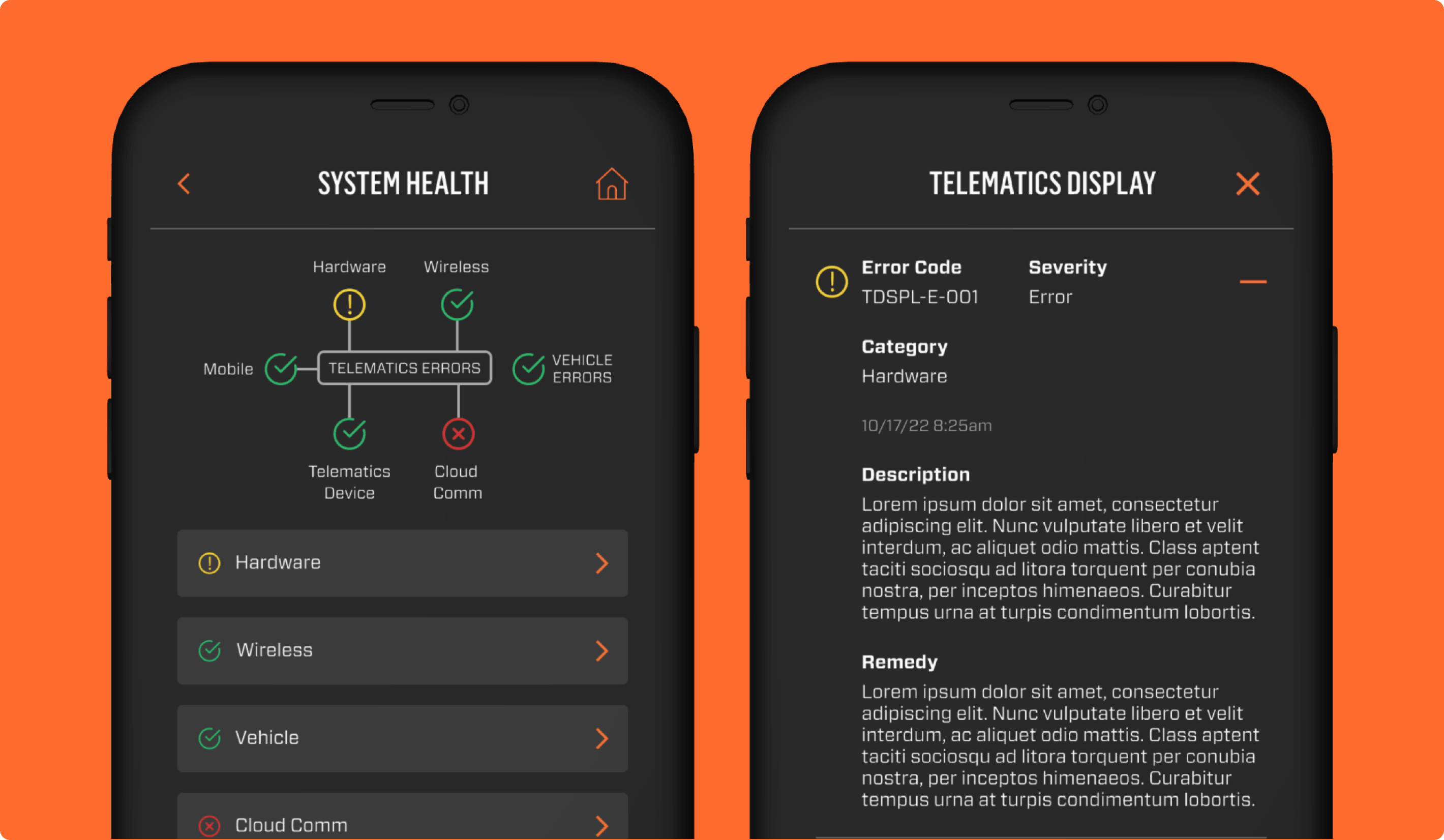
Diagnostics
Making Troubleshooting Easier to Navigate
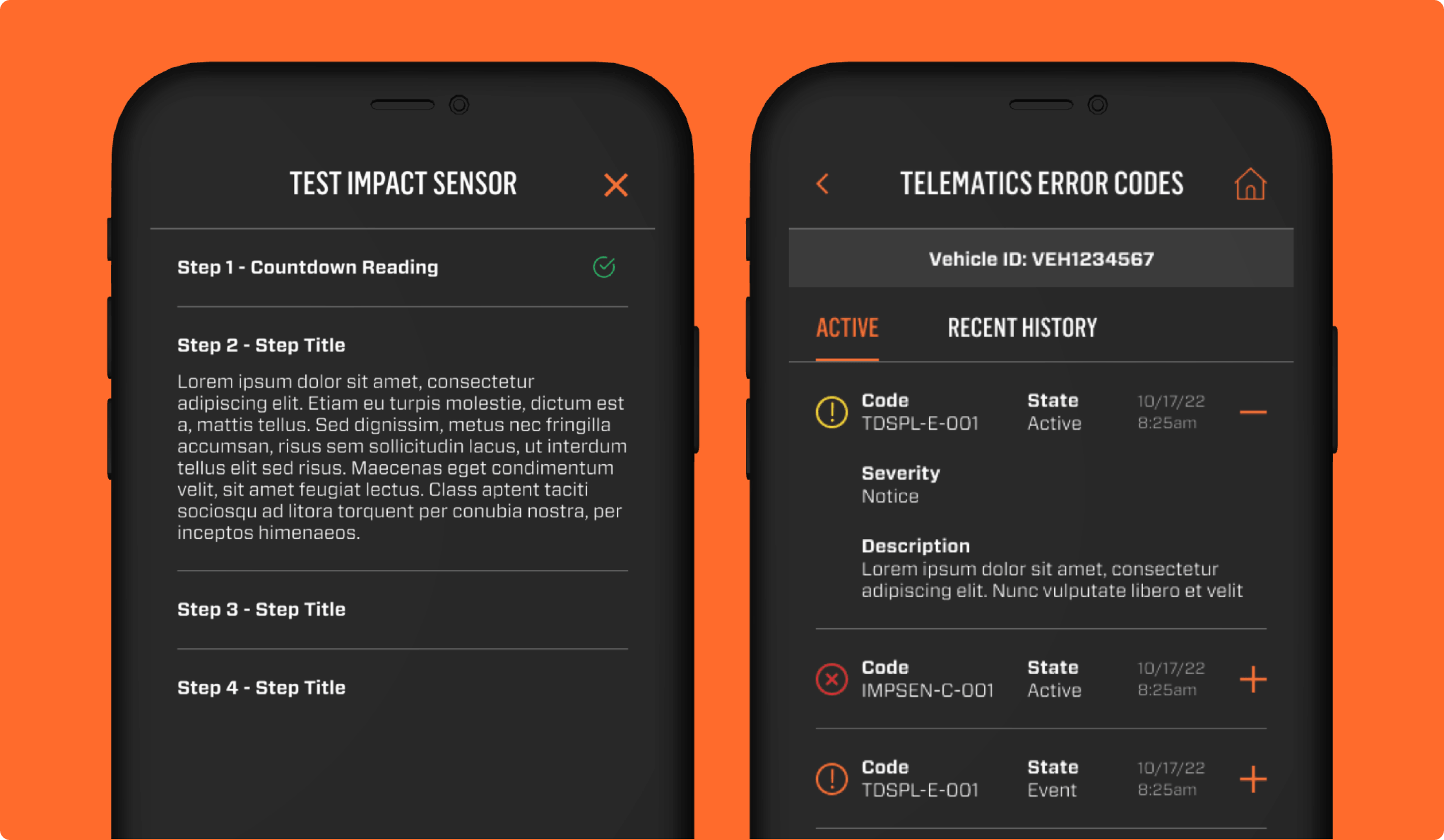
The diagnostics experience was designed to give users a clearer path into troubleshooting when something goes wrong. It provides access to error codes, hardware conditions, and deeper diagnostic pathways tied to specific issues, helping users move from a general sense that something is wrong into more focused investigation.
Why it mattered:
- Gives users more direct access to troubleshooting information
- Helps surface issues that may otherwise be difficult to identify
- Supports faster investigation of system and hardware problems
System Health
Creating a More Unified View of Telematics Status
System Health was designed to provide a centralized readout of the broader telematics ecosystem. Instead of requiring users to piece together status across multiple disconnected areas, the screen brings together health indicators for hardware, wireless, vehicle, cloud communication, telematics device, and mobile. This creates a more complete and structured understanding of system condition and helps users identify where warnings or issues may be emerging.
Why it mattered:
- Gives users a more complete view of system condition in one place
- Helps surface warnings across multiple telematics areas
- Makes it easier to identify where attention or troubleshooting is needed